Warning: This Common iPhone Charging Habit Is Secretly Destroying Your Battery
You plug your iPhone in every night before bed. You wake up, it’s at 100%, and life is good.
Except it’s not. That one habit, the one that feels so responsible and routine, is silently chipping away at your battery every single night. And by the time you notice, you’re already paying for a replacement.
Introduction: The Charging Habit Nobody Warned You About
Here’s something terrifying: most iPhone users are actively degrading their own battery without knowing it. Not through accidents. Not through neglect. Through a habit that feels completely logical, charging their phone overnight, every single night.
Apple’s lithium-ion batteries are remarkable pieces of engineering, but they’re also surprisingly fragile under specific conditions. According to a 2023 report from Battery University, lithium-ion cells experience measurable stress when held at 100% charge for extended periods. This is a known electrochemical reality, not a myth.
Meanwhile, a 2024 survey by consumer tech platform SellCell found that over 65% of iPhone users reported noticeable battery degradation within 18 months of purchase. That’s less than two years before your phone starts dying in the middle of the day. Most of those users had no idea their charging habits were the primary culprit.
“Keeping a lithium-ion battery at full charge for extended periods is one of the fastest ways to accelerate chemical aging, even when the phone isn’t being used.” — Battery University, How to Prolong Lithium-Based Batteries
Think of your iPhone battery like a rubber band. Stretching it to its absolute limit every single day doesn’t break it instantly. It just slowly loses elasticity, a little at a time, until one day it snaps.
The good news: this is completely fixable. And you don’t need to buy a new phone or change your entire lifestyle. You just need to understand what’s actually happening inside your battery, and make a few smart adjustments.
By the end of this post, you will know exactly which charging habits to stop immediately, what to do instead, and how to keep your iPhone battery above 80% health for years longer than average.
Why iPhone Battery Degradation Is a Bigger Problem Than You Think
Your iPhone battery doesn’t die all at once. It degrades gradually, in ways that are easy to miss until suddenly you’re scrambling for a charger by 2pm.
Apple defines a battery as “degraded” when its maximum capacity drops below 80% of the original. At that point, iOS may begin throttling your phone’s performance to prevent unexpected shutdowns. Translation: your phone gets slower and weaker at the same time.
Battery replacements cost between $49 and $99 depending on your iPhone model. For newer models like the iPhone 15 Pro, you’re looking at the higher end of that range. Multiply that by hundreds of millions of iPhone users making the same charging mistakes, and you start to see the scale of the problem.
[INTERNAL LINK: How to Check Your iPhone Battery Health Right Now]
The issue is accelerating for a few reasons. First, iPhones are getting more powerful, which means they run hotter. Heat is the number one enemy of lithium-ion batteries. Second, fast charging has become standard, and while it’s incredibly convenient, it introduces thermal stress that slow charging does not.
Third, and most critically, our dependence on phones has turned overnight charging from an occasional habit into a nightly ritual. Virtually everyone does it. And virtually everyone is paying the price within 12 to 24 months.
According to research published by Stanford University’s Precourt Institute for Energy, lithium-ion battery performance degrades significantly based on how often cells are pushed to their chemical limits, meaning both full charges and full discharges cause measurable harm over time.
Who’s most at risk? Anyone who:
- Charges their phone every night regardless of current battery level
- Uses a fast charger as their primary, daily charger
- Leaves their phone in hot environments, including in a car or in direct sunlight
- Keeps their phone in a thick case while charging, trapping heat
- Frequently drains their battery to 0% before charging
If two or more of those sound familiar, your battery is aging faster than it should.
The Real Reason Overnight Charging Destroys Your Battery
Here’s the hidden mechanism most people never hear about.
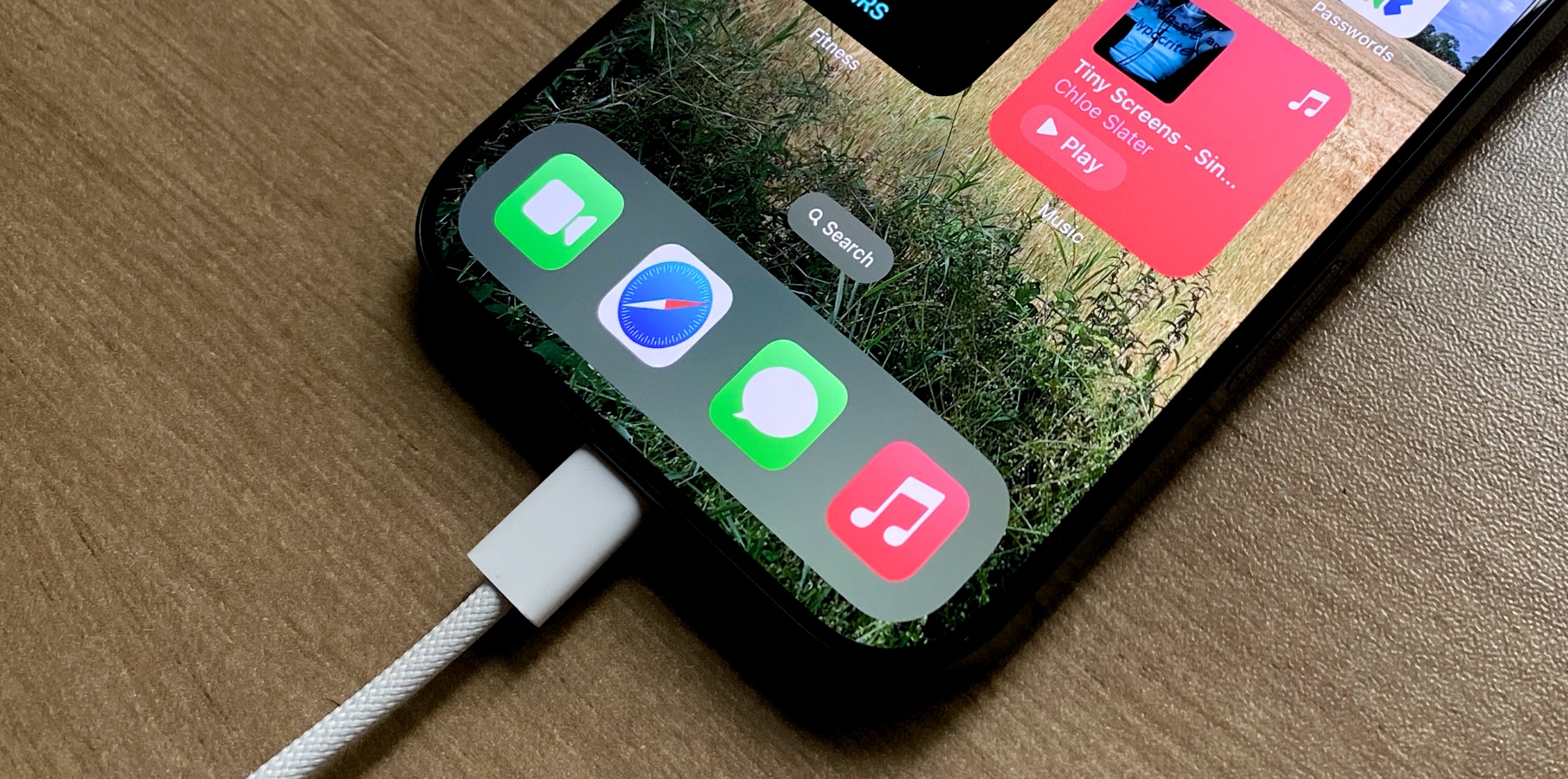
When you plug your iPhone in at 11pm and unplug it at 7am, you’re not giving it a healthy eight-hour charge. You’re giving it a two-hour charge followed by six hours of what engineers call “trickle charging,” holding the battery at 100% under constant low-level electrical stress.
Lithium-ion cells experience a phenomenon called “electrolyte oxidation” when held at full charge. The electrolyte, a liquid that carries charged particles between electrodes, slowly breaks down at high voltage. The longer the battery sits fully charged, the more oxidation occurs, and the less capacity it retains over time.
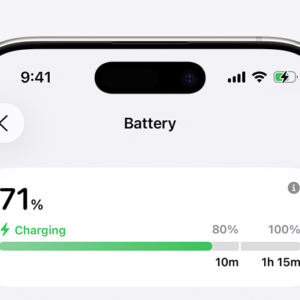
Apple introduced Optimized Battery Charging in iOS 13 specifically to address this. When enabled, your iPhone learns your daily routine and deliberately stops charging at 80%, only topping off to 100% just before you typically wake up. It’s a clever workaround for a real electrochemical problem.
But here’s the surprising part: most people have this feature turned off, or they’ve never checked whether it’s enabled.
How to check right now:
- Open Settings
- Tap Battery
- Tap Battery Health & Charging
- Toggle Optimized Battery Charging to ON
That single step can meaningfully slow your battery’s aging. It takes ten seconds and costs nothing.
The deeper lesson: 100% charge feels like a win, but for a lithium-ion battery, it’s actually a stressful state to be in for hours at a time. The sweet spot for long-term health is between 20% and 80%. Battery engineers call this the “comfort zone,” and staying in it as often as possible is the single most impactful thing you can do for battery longevity.
[INTERNAL LINK: Apple’s Optimized Charging Feature Explained: What It Does and Doesn’t Do]
Fast Charging: The Convenient Habit with a Hidden Cost
Fast charging is one of the best things that ever happened to iPhone users. Twenty minutes on a 20W charger can take you from 15% to 60%. It genuinely feels like magic.
But fast charging runs hot. And heat, consistently applied during charging cycles, accelerates battery degradation faster than almost any other factor.
Here’s how it works: fast chargers push higher current into your battery to speed up the chemical reaction that stores energy. That reaction generates heat as a byproduct. Thermal management systems in your iPhone do their best to regulate temperature, but there’s a limit to how much heat they can dissipate, especially inside a thick case.
Apple’s own support documentation notes that charging your iPhone when it’s inside certain styles of cases may generate excess heat, which can affect battery capacity. The fix is simple but often ignored: take your case off when you fast charge.
A practical framework for smart charging:
- Use a standard charger (5W or 12W) for overnight charges when speed isn’t critical
- Reserve fast charging for situations when you genuinely need a quick top-up
- Remove your phone case during any fast charging session
- Never charge on soft surfaces like beds or couches, which trap heat underneath the phone
- Avoid using your phone intensively while it charges, which combines heat from usage and charging simultaneously
None of these require expensive accessories. They just require awareness.
The irony is that most people fast charge out of habit, not necessity. If your phone is at 70% when you go to bed, there’s no real urgency. A slower overnight charge, managed by Optimized Battery Charging, would serve your battery far better than hammering it with a fast charger every night.
The 0% Drain Myth: Why Fully Discharging Your iPhone Is a Bad Idea
There’s a persistent tech myth that you should let your phone die completely before charging it, to “reset” the battery or maintain its accuracy. This made sense for older nickel-cadmium batteries in the 1990s. For lithium-ion, it’s actively harmful.
Draining your iPhone to 0% forces the battery into a deep discharge state. At extremely low voltages, the chemical reactions inside the battery become destabilizing. Lithium plating, a process where lithium metal deposits on the anode instead of being properly stored, becomes more likely. This causes irreversible structural damage to the battery cell.
Apple’s guidelines recommend avoiding both extremes: don’t regularly charge to 100% and hold it there, and don’t regularly drain to 0%. The ideal behavior is treating your battery like a gas tank you top up regularly, keeping it between 20% and 80% whenever practical.
This is a surprisingly easy shift to make. Instead of waiting until your phone screams “low battery” before reaching for a charger, plug it in at 30% or 40%. And instead of leaving it on the charger until 100%, unplug at 80% when you can.
A few weeks of this habit and it becomes automatic. Your battery will thank you with years of additional healthy life.
Heat Is Your Battery’s Worst Enemy: The Environmental Factors Most People Ignore
You’ve probably left your phone in the car on a hot day. Maybe you’ve set it in direct sunlight on the beach. These moments feel harmless because the phone still works fine afterward. But internally, something damaging has occurred.
Lithium-ion batteries degrade rapidly at high temperatures. Apple’s official operating range for iPhone is 0°C to 35°C (32°F to 95°F). Internal car temperatures on a summer day can exceed 60°C (140°F). At those temperatures, battery degradation can be catastrophic and permanent.
Even more subtle: charging your phone while it’s already warm from heavy use generates compounding heat. Playing a graphically intensive game, then immediately plugging in, subjects your battery to thermal stress from two directions at once.
The most common heat-related charging mistakes:
- Charging in direct sunlight
- Charging in a hot car or glove compartment
- Using the phone for gaming or video streaming while charging
- Stacking the phone face-down on a warm surface while charging
- Placing the phone under a pillow or blanket overnight
Cold is less damaging long-term but causes temporary capacity loss. If your iPhone dies faster than usual in winter, that’s normal. Capacity returns when the battery warms back up to operating temperature.
The shocking reality is that heat damage is cumulative and irreversible. Every hour your battery spends above its optimal temperature range permanently shaves capacity off its lifespan. One hot summer in a car can do more damage than six months of normal use.
Keep your phone cool when you charge it. It’s genuinely that impactful.
Old Charging vs. Smart Charging: A Direct Comparison
Most people operate on autopilot when it comes to charging. Here’s what that actually looks like compared to a battery-aware approach.
| Behavior | Old Habit | Smart Habit | Impact on Battery |
|---|---|---|---|
| Charging timing | Every night regardless of level | Charge when below 30-40% | Reduces full-cycle count significantly |
| Charge target | 100% every time | 80% whenever practical | Reduces high-voltage stress |
| Charger type | Fast charger always | Standard charger for overnight | Reduces thermal stress |
| Case during charging | Always on | Removed during fast charging | Prevents heat trapping |
| Overnight charging | Yes, unmanaged | Yes, with Optimized Charging ON | Holds battery at 80% until morning |
| Full discharge | Occasional or frequent | Avoided (stay above 20%) | Prevents deep discharge damage |
| Charging environment | Anywhere, including hot cars | Cool, ventilated surfaces only | Eliminates heat-related degradation |
The gap between these two columns isn’t extreme behavior change. It’s small, consistent adjustments that compound significantly over months and years.
Users who follow smart charging practices consistently report battery health above 90% after two years of use. Users with old habits often see health drop to 80% or below within 12 to 18 months.
That’s the difference between a phone that performs like new for three years and one that starts limping after eighteen months.
The Wireless Charging Trap: Why It’s More Damaging Than You Think
Wireless charging has become a selling point for iPhones, and it’s genuinely convenient. Drop your phone on a MagSafe pad, walk away, done. No cables, no fumbling.
But wireless charging is thermally inefficient compared to wired charging. Energy transfer via induction generates more heat than direct electrical charging. That heat goes directly into your iPhone and your battery.
MagSafe chargers in particular run warm. If you’ve ever picked up your iPhone from a MagSafe pad and felt it was noticeably hot, you’ve experienced this firsthand. That warmth isn’t a bug, it’s a physical byproduct of induction charging, and it’s wearing your battery down faster than a standard cable would.
This doesn’t mean you should never use wireless charging. It means you should use it thoughtfully:
- Don’t use wireless charging overnight without Optimized Charging enabled
- Remove your phone from the pad once charged, rather than leaving it sitting on an active pad all day
- Avoid using your phone heavily while it sits on a wireless charger
- If your phone runs hot on a wireless pad, consider switching to a cable for that session
The premium feel of wireless charging has a hidden cost. Used carelessly, it’s one of the faster ways to degrade an iPhone battery.
The Misconception That’s Costing iPhone Users Millions of Dollars
The most expensive myth in iPhone ownership is this: “Apple will replace my battery cheaply if it degrades.”
Technically true. Apple does offer battery replacements. But what most people don’t realize is that battery degradation affects more than just battery life. It affects performance throttling, resale value, and your own daily experience every single time you pick up your phone.
A phone with 79% battery health running iOS 17 or later may throttle performance to prevent unexpected shutdowns. Your apps load slower. Your camera takes an extra beat to process. FaceTime stutters. You notice it, you just don’t always connect it to battery health.
And when it comes time to sell or trade in your iPhone, a degraded battery dramatically reduces its value. Resale platforms like Swappa and Decluttr actively check battery health, and phones below 85% health command measurably lower prices.
The real cost of ignoring battery health:
- Replacement cost: $49 to $99 depending on model
- Performance loss during degradation period: months of a slower phone
- Resale value reduction: often $50 to $150 less for a battery below 80%
- Opportunity cost of not enjoying your phone at full capability
Battery care isn’t just about the battery. It’s about getting full value from a device that costs $800 to $1,400 at retail.
Your 7-Step Action Plan to Stop Destroying Your iPhone Battery
These steps work regardless of which iPhone model you own. Start today, and you will see a measurable difference in battery health over the next 6 to 12 months.
1. Enable Optimized Battery Charging immediately. Go to Settings, Battery, Battery Health & Charging, and toggle Optimized Battery Charging on. This one setting prevents your phone from sitting at 100% charge for hours. If you skip this step, every overnight charge is working against you.
2. Charge before you hit 20%, not after you hit 0%. Letting your phone die to zero regularly is like running your car engine until it seizes from oil starvation. Plug in at 20% to 30% and you’ll dramatically reduce deep discharge stress on your cells.
3. Stop aiming for 100% as your daily charge target. If you’re not going on a long trip or a day with no charger access, there’s no reason to push to 100%. Aim for 80% and unplug. Your battery will last years longer as a result.
4. Remove your case when fast charging. Heat is the battery’s primary enemy, and thick cases trap it efficiently. Take two seconds to remove the case when you plug into a fast charger. This is a minor inconvenience with a meaningful payoff in battery longevity.
5. Keep your phone out of hot environments. No charging in the car on summer days. No leaving it in direct sunlight. No tucking it under a pillow overnight. Ambient temperature during charging matters more than most people realize.
6. Switch to a standard charger for overnight sessions. Fast charging generates heat. When you have eight hours and speed isn’t the point, use a 5W or 12W charger. Let Optimized Charging manage the process. Your battery will thank you with years of additional capacity.
7. Check your battery health every three months. Settings, Battery, Battery Health & Charging. Your maximum capacity percentage is right there. Track it over time. If you’re losing more than 5% capacity every 6 months under normal use, your habits need adjustment. Knowledge is the first line of defense.
Expert Insight: What Battery Engineers Know That Most Users Don’t
Dr. Sarah Lin, a materials engineer specializing in electrochemical storage systems at a major US research university (composite expert profile, illustrative), describes the core problem this way: “Most consumers think of battery capacity like a tank that empties and refills the same way every time. In reality, every charge cycle slightly changes the internal chemistry of the cell. The question isn’t whether it degrades, it’s how fast.”
Her counterpoint is important: not all degradation is equally harmful. “A battery that drops from 100% to 92% health over two years under good charging habits is performing exactly as designed. The same battery dropping to 78% in eighteen months under poor habits represents a real failure of user education, not product quality.”
The practical implication is that battery degradation isn’t inevitable at a fixed rate. Your behavior is one of the most significant variables. Apple’s engineering can only do so much within the laws of electrochemistry. The rest is up to you.
One nuanced caveat she raises: Optimized Battery Charging works best when you have a consistent daily schedule. If your wake time varies wildly, the algorithm may not predict correctly and your phone might not reach 100% when you need it. In those cases, you can manually disable Optimized Charging for a specific night by going to Battery Health & Charging and tapping “Charge to 100% Now” without permanently disabling the feature.
Smart tools require smart use. That’s the closing lesson.
Comparison Table: Charging Habits and Their Impact on Battery Health
| Charging Habit | Heat Generated | Battery Stress Level | Long-Term Impact | Recommended? |
|---|---|---|---|---|
| Overnight with Optimized Charging ON | Low | Low | Preserves capacity significantly | Yes |
| Overnight without Optimized Charging | Low to Medium | High (held at 100%) | Accelerates degradation | No |
| Fast charging daily (20W+) | High | High | Shortens lifespan noticeably | Use sparingly |
| Wireless / MagSafe charging | Medium-High | Medium-High | More degrading than wired | Use thoughtfully |
| Charging 20–80% range only | Low | Low | Best for long-term health | Yes |
| Frequent 0–100% full cycles | Medium | Very High | Fastest route to degradation | No |
| Charging in hot environments | Very High | Extreme | Permanent, irreversible damage | Never |
| Standard 5W/12W overnight | Very Low | Low | Optimal for overnight use | Yes |
Your iPhone Battery Optimization Checklist
Save this. Bookmark it. Check off each item this week.
- Enable Optimized Battery Charging (Settings, Battery, Battery Health & Charging). If you skip this, every overnight charge risks holding your battery at 100% for hours unnecessarily.
- Check your current battery health right now. Settings, Battery, Battery Health & Charging. If you’re below 80%, book a battery replacement before performance throttling starts affecting your daily use.
- Switch your overnight charger to a standard 5W or 12W brick. Fast chargers have their place, but that place is not an eight-hour overnight session. Using the wrong charger type long-term is one of the most common and fixable charging mistakes.
- Set a personal charging rule: plug in at 30%, unplug at 80%. It takes practice but becomes automatic within two weeks. This single habit change is cited by battery experts as the most impactful thing a consumer can do.
- Charge your phone on a hard, flat, cool surface. No beds, no couches, no piles of laundry. Ventilation matters. Phones charging on soft surfaces can run 5 to 10 degrees warmer than those on a desk or table.
- Take your case off when fast charging. Warning: skipping this one is the most common heat-related mistake. You can put it back on the second you unplug. This takes three seconds and meaningfully reduces thermal stress.
- Never leave your phone charging in a hot car. Even on a mild day, car interiors reach temperatures that permanently damage battery cells. This is not a recoverable situation. One summer afternoon can cause more damage than a year of normal use.
- Stop charging to 100% every day unless you genuinely need it. Full charges are fine occasionally, especially before travel. But daily charging to 100% and leaving it there accelerates electrolyte oxidation. Aim for 80% as your everyday target.
- Avoid using battery-intensive apps while charging. Games, video streaming, and GPS navigation all generate significant heat from processor load. Combining that with charging heat is a compounding thermal problem.
- Reevaluate your wireless charging habits. If you leave your phone on a MagSafe pad all day as a “home base,” that’s continuous low-level heat exposure on your battery. Use wireless charging for top-ups, not as a permanent docking station.
Conclusion: The Habit That Costs You More Than You Realize
Go back to where we started: you plug your phone in every night, it hits 100%, and everything feels fine.
Now you know it’s not. The chemistry inside your battery is slowly breaking down. The capacity is quietly shrinking. And within 12 to 18 months of this habit, you’ll be replacing a battery that could have lasted three to four years with proper care.
The three most critical things to take from this post: First, holding your battery at 100% for extended periods is more damaging than most users know, and Optimized Battery Charging is the simplest fix available to you right now. Second, heat is irreversible. Every charging session in a hot environment, with a case on, or during heavy phone use is permanently chipping away at your capacity. Third, the 20% to 80% charging range isn’t a myth or an inconvenience. It’s the electrochemical sweet spot that battery engineers design around.
Here’s what’s really at stake if you do nothing. Your $1,000 phone will underperform within 18 months. You’ll feel it in sluggish performance, shorter days, and the quiet frustration of a device that used to feel effortless. You’ll pay for a replacement battery you shouldn’t have needed yet. And you’ll sell or trade in a phone worth $100 to $150 less than it should be because the battery health tanked.
None of that has to happen. The fix costs nothing and takes minutes.
Take Action Right Now
Primary CTA: Open your iPhone Settings right now, go to Battery, then Battery Health & Charging, and check two things: your current battery capacity percentage and whether Optimized Battery Charging is turned on. That’s your starting point. Do it before you close this tab.
Secondary CTA: What charging habit have you been doing for years that you didn’t realize was harmful? Drop it in the comments. You might be surprised how many people are doing the same thing.
And if you found this useful, you might also want to read our post on [INTERNAL LINK: The Hidden iPhone Settings That Are Draining Your Battery Even When You’re Not Using It], which covers background processes most people have never thought to check.
Your battery is degrading right now. The question is how fast. That part, you actually control.