Table of Contents
ToggleiPhone 16 Pro Max Camera vs DSLR: Which One Should You Actually Buy for Professional Photography?
Here’s a question that would have gotten you laughed out of any photography forum ten years ago: Can a smartphone replace a professional camera?
In 2025, nobody’s laughing anymore.
The iPhone 16 Pro Max ships with a 48MP fusion sensor, a 5x tetraprism telephoto lens, computational photography powered by Apple Intelligence, and the ability to shoot ProRes video in 4K at 120fps. It fits in your pocket, costs $1,199, and connects to every sharing platform on the planet within seconds.
A professional DSLR or mirrorless camera—think the Canon EOS R5 Mark II, Nikon Z8, or Sony A7R V—gives you a full-frame sensor, interchangeable lenses, 14+ stops of dynamic range, and the kind of optical control that no algorithm can fully replicate. But the body alone starts at $2,500, and a serious lens kit can push your total investment past $10,000.
So which one should you put your money on?
This isn’t a simple “Phone good, camera bad” article. And it’s not a nostalgic defense of optical superiority either. We’re going to break down real image quality, real-world use cases, real costs, and real professional opinions—so you can make a decision based on what you shoot, who you shoot it for, and what your budget looks like.
Let’s get into it.
Why This Debate Matters More Than Ever in 2025
The smartphone camera market is worth over $45 billion globally, and Apple captures a significant slice of it. According to a 2024 report from Counterpoint Research, over 90% of all photos taken worldwide are shot on smartphones. Meanwhile, DSLR and mirrorless camera shipments have dropped by more than 80% since their 2010 peak, according to the Camera & Imaging Products Association (CIPA).
But here’s the twist: the professional camera market has stabilized. The photographers still buying dedicated cameras are buying better ones, spending more per unit, and demanding features that smartphones can’t match—yet.
This creates a fascinating tension. Smartphones are eating the consumer camera market alive, but professional cameras are holding their ground in specific niches. The question isn’t whether the iPhone 16 Pro Max is a “good” camera—it’s objectively excellent. The question is whether it’s good enough for the type of work you do.
And that answer depends on physics, software, workflow, and your definition of “professional.”
What the iPhone 16 Pro Max Camera System Brings to the Table
The 48MP Fusion Camera and Tetraprism Telephoto
The iPhone 16 Pro Max uses a triple-camera system:
- Main camera: 48MP, f/1.78 aperture, second-generation quad-pixel sensor, sensor-shift optical image stabilization
- Ultra-wide camera: 48MP, f/2.2 aperture, macro photography capable
- Telephoto camera: 12MP, f/2.8 aperture, 5x optical zoom with tetraprism design
The main 48MP sensor measures roughly 1/1.28 inches diagonally. That’s significantly larger than older iPhone sensors and closes the gap with 1-inch compact cameras like the Sony RX100 VII. The quad-pixel design allows the sensor to function as a 12MP sensor for light gathering or a full 48MP sensor for detail, depending on conditions.
The tetraprism telephoto lens—Apple’s clever solution for fitting 5x optical zoom into a thin phone body—bounces light four times through a prism before hitting the sensor. This gives you a 120mm equivalent focal length without a protruding barrel. It’s an engineering marvel, even if the 12MP resolution limits how much you can crop in post.
Apple also provides seamless switching between seven focal lengths (13mm, 24mm, 28mm, 35mm, 48mm, 77mm, and 120mm), combining optical and computational zoom to cover a wide range of shooting scenarios.
Affiliate Opportunity: Check the latest iPhone 16 Pro Max pricing on Amazon | Compare plans at Apple.com
Photographic Styles, Smart HDR 5, and Computational Photography
This is where the iPhone 16 Pro Max plays a completely different game than any DSLR.
Every time you press the shutter button, the iPhone doesn’t just capture one frame. It captures multiple exposures at different settings, analyzes the scene using machine learning models trained on millions of images, segments the photo into layers (sky, faces, foreground, background), applies noise reduction, sharpening, tone mapping, and lens corrections—and delivers a finished photo in under a second.
Apple calls this the “Photonic Engine,” and it operates across all cameras in the system.
Smart HDR 5 takes this further by intelligently blending highlight and shadow information in a way that looks natural rather than over-processed. The new Photographic Styles in iOS 18 allow you to adjust the tone and warmth of images after capture without affecting skin tones—a feature that previously required careful manual masking in Lightroom or Photoshop.
Here’s what this means in practice: a beginner with an iPhone 16 Pro Max will produce a more visually appealing photo in auto mode than a beginner with a $3,000 DSLR. The phone is doing the work of a skilled editor, instantly, behind the scenes.
ProRes and Log Video: A Filmmaker’s Pocket Studio
The video capabilities deserve their own section because they’re genuinely competitive with professional cinema cameras costing five times as much.
The iPhone 16 Pro Max shoots:
- 4K at 24, 25, 30, 60, and 120fps
- ProRes and ProRes Log recording
- Dolby Vision HDR
- Spatial Video for Apple Vision Pro
- Cinematic Mode at 4K 30fps with rack focus simulation
- Action Mode stabilization
ProRes Log is particularly significant. It gives filmmakers a flat color profile with maximum dynamic range, allowing professional color grading in tools like DaVinci Resolve or Final Cut Pro. Apple’s Log encoding captures roughly 12 stops of dynamic range—not far from dedicated cinema cameras like the Blackmagic Pocket Cinema Camera 6K.
For YouTube creators, social media managers, documentary filmmakers on a budget, and run-and-gun journalists, this is a game-changer. You’re carrying a competent cinema camera in your pocket at all times.
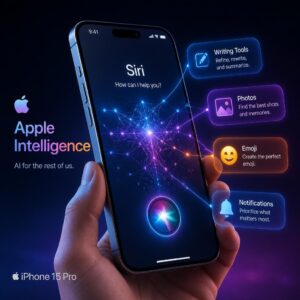
The Apple Intelligence Factor: AI-Powered Editing
With iOS 18 and Apple Intelligence, the iPhone 16 Pro Max integrates AI directly into the photography workflow:
- Clean Up tool: Remove unwanted objects from photos with a tap (similar to Photoshop’s generative fill, but on-device)
- Enhanced search: Find specific photos using natural language (“Show me photos of Sarah at the beach last August”)
- Automatic categorization and memory creation
- On-device processing that keeps your images private (more on this in the security section)
This is a workflow advantage that no DSLR manufacturer has matched. Canon, Nikon, and Sony are investing in AI-assisted features, but they’re years behind Apple’s integrated hardware-software-AI pipeline.
What a Professional DSLR (and Mirrorless) Camera Still Offers
Let’s be real about terminology: when most people say “DSLR” in 2025, they often mean any dedicated interchangeable-lens camera, including mirrorless systems. Traditional DSLRs (with optical viewfinders and mirror mechanisms) are being phased out. Canon and Nikon have both shifted their R&D focus to mirrorless. But the core advantages remain the same.
Full-Frame and APS-C Sensors: The Physics Advantage
This is the single biggest advantage dedicated cameras hold over any smartphone, and it comes down to physics that no software can fully overcome.
A full-frame camera sensor measures approximately 36mm x 24mm. The iPhone 16 Pro Max’s main sensor is roughly 9.8mm x 7.3mm. That means a full-frame sensor has approximately 13 times more surface area for gathering light.
Why does this matter?
| Factor | Larger Sensor Advantage |
|---|---|
| Dynamic range | More photons captured = wider range between shadows and highlights |
| Low-light performance | Bigger pixels = less noise at high ISO |
| Depth of field control | Physically shallower depth of field for natural bokeh |
| Color accuracy | More data per pixel = better tonal transitions |
| Cropping headroom | More megapixels at native resolution = aggressive crops stay sharp |
The Sony A7R V, for example, captures 61MP across a full-frame sensor. That’s 61 million large, light-hungry pixels compared to the iPhone’s 48 million tiny pixels crammed into a sensor one-thirteenth the size. The difference in per-pixel quality is substantial.
Computational photography can simulate some of these advantages. The iPhone’s Portrait Mode creates artificial bokeh by using depth mapping and machine learning. It’s gotten remarkably good—but it still fails on complex edges (think: curly hair, wine glasses, translucent fabrics). A 50mm f/1.4 lens on a full-frame camera produces bokeh optically, with zero artifacts, every single time.
Interchangeable Lenses and Optical Versatility
A professional camera system isn’t just a body—it’s an ecosystem.
A wildlife photographer might pair a Nikon Z8 with a 600mm f/4 telephoto lens, capturing a bird in flight from 200 meters away with razor-sharp detail. A portrait photographer might use an 85mm f/1.2 lens to create creamy background separation impossible to replicate computationally. An architectural photographer might use a tilt-shift lens to correct perspective distortion in-camera.
The iPhone 16 Pro Max gives you seven focal lengths. A professional camera system gives you infinite focal lengths, from 8mm fisheye to 800mm super-telephoto, each with different aperture characteristics, optical properties, and creative possibilities.
You can also add filters. Circular polarizers cut reflections and boost sky contrast in ways that no software filter can replicate—because they’re physically altering the light waves entering the lens. Neutral density filters allow long exposures in bright daylight. UV filters protect front elements.
This optical ecosystem is something no smartphone can match, and it’s why professionals who need specific optical tools will always need dedicated camera systems.
Manual Controls, RAW Flexibility, and Dynamic Range
Yes, the iPhone shoots Apple ProRAW, which gives you 48MP uncompressed files with more editing latitude than standard HEIF or JPEG. It’s a significant step forward.
But it’s not the same as a 14-bit RAW file from a full-frame sensor.
When you push an iPhone ProRAW file—lifting shadows by 3 stops, for instance—you’ll see noise, color banding, and detail breakdown much sooner than you would with a file from a Canon EOS R5 or Sony A7 IV. The iPhone’s computational pipeline does an incredible job of hiding its sensor’s limitations in the final processed image, but when you strip away that processing and work with the raw data, the gap becomes clear.
Professional photographers who shoot in challenging lighting—weddings in dim churches, concerts with harsh stage lighting, real estate interiors with mixed light—depend on this RAW flexibility. The ability to recover a blown highlight or rescue a crushed shadow can make the difference between a usable image and a deleted one.
Dynamic range benchmarks tell the story:
| Camera | Measured Dynamic Range (DxOMark) |
|---|---|
| Sony A7R V | 14.7 stops |
| Nikon Z8 | 14.6 stops |
| Canon EOS R5 Mark II | 14.1 stops |
| iPhone 16 Pro Max (ProRAW) | ~12 stops (estimated, computational) |
That 2-3 stop difference is significant in professional contexts.
Battery Life, Ergonomics, and Shooting Endurance
A working professional might shoot 2,000 images at a wedding over 8-10 hours. A sports photographer might fire 5,000 frames during a single football game. A wildlife photographer might sit in a hide for 6 hours waiting for the perfect moment.
The iPhone 16 Pro Max has excellent battery life for a smartphone—but it’s still a smartphone. Heavy camera use, especially with ProRAW and 4K video, drains the battery fast. You might get 3-4 hours of continuous shooting before needing a charge.
A DSLR or mirrorless camera, shooting through an optical or electronic viewfinder, consuming minimal power per frame, can deliver 1,000+ shots on a single battery charge. Professional bodies like the Nikon Z8 are rated for over 900 shots per charge with the EVF—and most pros carry 2-3 spare batteries.
Then there’s ergonomics. Try shooting handheld for 4 hours with an iPhone. Your hands will cramp. Your fingers will obscure the lens. You’ll accidentally touch the screen. The thin, flat form factor that makes the iPhone great for carrying makes it terrible for extended shooting sessions.
A camera body with a deep grip, physical dials, a dedicated shutter button, and an eye-level viewfinder is designed for shooting. The physical interface matters enormously for professionals who spend entire days with a camera in their hands.
Head-to-Head Comparison: iPhone 16 Pro Max vs DSLR
Image Quality and Resolution
Let’s compare apples to apples—or rather, Apples to Canons.
In bright daylight with good light, the iPhone 16 Pro Max produces images that are, at first glance, remarkably close to a mid-range DSLR. Viewed on a phone screen or social media feed, many people couldn’t tell the difference. This is a testament to Apple’s computational photography pipeline.
But zoom in to 100%. Print at 24×36 inches. Examine the transition between highlights and shadows. Look at fine texture detail in fabrics or foliage. The differences emerge:
- Fine detail: The DSLR resolves more genuine detail, especially in textures. The iPhone’s image processing applies subtle sharpening and noise reduction that can smear fine details.
- Color depth: Full-frame RAW files contain more color information, producing smoother gradients and more accurate color reproduction, especially in skin tones.
- Highlight rolloff: DSLRs handle the transition from bright to blown highlights more gracefully. iPhone images can clip abruptly despite Smart HDR.
Verdict: For screen viewing and social media, nearly tied. For print, large format, or professional retouching, the DSLR wins convincingly.
Low-Light and Night Photography
This is where sensor size asserts its dominance.
The iPhone 16 Pro Max has an excellent Night Mode that uses multi-frame stacking and AI-powered noise reduction to produce clean, bright images in near-darkness. For handheld casual shots in restaurants, city streets at night, or dimly lit rooms, the results are impressive.
But Night Mode requires the phone to hold still for 1-3 seconds (sometimes longer), during which it captures and merges multiple frames. Moving subjects blur. The AI noise reduction, while effective, creates a waxy, painterly look when examined closely—smoothing out fine textures in pursuit of noise-free output.
A full-frame camera with a fast lens (f/1.4 or f/1.8) can shoot at ISO 3200-6400 with a shutter speed fast enough to freeze motion, producing clean images with natural grain rather than algorithmic smoothing. The Sony A7S III, designed specifically for low-light work, produces usable images at ISO 51,200—a level where the iPhone would produce an unusable mess.
Verdict: For still subjects in low light, the iPhone holds its own. For moving subjects, event photography, or any situation requiring fast shutter speeds in dim conditions, the DSLR wins definitively.
Portrait and Bokeh Quality
Portrait Mode on the iPhone 16 Pro Max has improved dramatically. It now captures depth information automatically and lets you adjust the focal point and aperture after taking the photo. The edge detection around hair and complex shapes is better than ever.
But “better than ever” still isn’t perfect.
Common Portrait Mode artifacts include:
- Blurred edges where a subject’s hair meets the background
- Inconsistent blur around glasses frames
- Objects at the same distance as the subject getting incorrectly blurred
- Artificial-looking bokeh that lacks the character of real optical blur
An 85mm f/1.4 lens on a full-frame body produces bokeh that is optically real. The background blur is created by the actual physics of light passing through a wide aperture and a long focal length. It has natural shape, character, and consistency. It never misidentifies edges. It never creates artifacts.
For professional portrait photographers—the kind who charge $500+ per session and deliver 50+ retouched images—the optical quality of a dedicated camera system remains non-negotiable.
Verdict: For casual portraits and social media, the iPhone is fantastic. For professional portrait work, the DSLR remains the standard.
Video and Cinematic Capabilities
This is where the iPhone 16 Pro Max makes its strongest case against dedicated cameras.
The ability to shoot 4K 120fps ProRes Log on a device that fits in your pocket is extraordinary. Many professional videographers now use the iPhone as a B-camera, a crash cam, or even a primary camera for social media content.
The stabilization is excellent. The autofocus is fast and reliable. The Cinematic Mode—while still a computational simulation of rack focus—produces results that read as “professional” to most viewers.
But professional video work still demands:
- Interchangeable lenses for creative control
- External audio inputs (XLR connections for professional microphones)
- ND filter compatibility for controlling exposure in bright conditions
- Sustained recording without overheating (the iPhone throttles during extended 4K recording in warm environments)
- Larger sensor readout for less rolling shutter distortion
- Higher bit rates for maximum post-production flexibility
A Sony FX3, Canon EOS R5 C, or Blackmagic Pocket Cinema Camera still outperforms the iPhone in a controlled production environment. But for run-and-gun shooting, vlogging, documentary work, and social media video, the iPhone 16 Pro Max is a legitimate professional tool.
Verdict: For social media, short-form content, and B-roll, the iPhone is a serious contender. For commercial video production, cinema, and broadcast, dedicated cameras remain essential.
Speed, Autofocus, and Burst Shooting
Modern DSLRs and mirrorless cameras are speed demons. The Canon EOS R1 shoots 40 frames per second. The Sony A9 III uses a global shutter that eliminates rolling shutter distortion entirely. The Nikon Z8 can track a bird’s eye through a cluttered forest canopy.
The iPhone 16 Pro Max has fast, accurate autofocus for everyday shooting. It tracks faces and pets well. But it can’t match the sustained burst speed, buffer depth, or subject-tracking intelligence of a dedicated sports or wildlife camera.
Try photographing a hummingbird in flight, a race car at 200mph, or a wide receiver making a catch. The iPhone will get a few good frames if you’re lucky. A professional camera with a telephoto lens and AI-powered subject tracking will nail the shot consistently.
Verdict: For everyday speed and casual action shots, the iPhone is fine. For professional sports, wildlife, and action photography, the DSLR/mirrorless system wins by a wide margin.
Post-Processing and Workflow
This is a nuanced comparison.
The iPhone offers the fastest path from capture to delivery:
- Shoot the photo
- Edit in Photos, Lightroom Mobile, or Snapseed
- Share directly to Instagram, email, or cloud storage
Total time: 30 seconds to 5 minutes.
A DSLR workflow looks more like:
- Shoot RAW files to a memory card
- Transfer to a computer (card reader, cable, or wireless)
- Import into Lightroom, Capture One, or similar software
- Cull, rate, and select the best images
- Edit RAW files (exposure, color, retouching)
- Export in the appropriate format and resolution
- Deliver to the client or upload
Total time: 30 minutes to several hours.
For social media managers, real estate agents posting listings, journalists on deadline, and content creators who need to publish immediately, the iPhone workflow is a massive advantage. The DSLR workflow produces technically superior results but demands more time, skill, and software investment.
Verdict: iPhone wins on speed and convenience. DSLR wins on quality and flexibility. Your priority determines the winner.
Total Cost of Ownership
Let’s talk money, because this matters.
iPhone 16 Pro Max Photography Setup:
| Item | Cost |
|---|---|
| iPhone 16 Pro Max (256GB) | $1,199 |
| MagSafe-compatible phone tripod mount | $25-50 |
| Moment or ShiftCam lens attachment (optional) | $70-130 |
| Lightroom Mobile subscription (optional) | $10/month |
| Total | ~$1,300-$1,500 |
Mid-Range Professional Camera Setup:
| Item | Cost |
|---|---|
| Sony A7 IV (body only) | $2,498 |
| Sony 24-70mm f/2.8 GM II | $2,298 |
| Sony 85mm f/1.4 GM | $1,798 |
| Memory cards (2x) | $100-200 |
| Extra batteries (2x) | $100-150 |
| Camera bag | $150-300 |
| Adobe Photography Plan (Lightroom + Photoshop) | $10/month |
| Total | ~$7,000-$7,500 |
High-End Professional Camera Setup:
| Item | Cost |
|---|---|
| Canon EOS R5 Mark II or Nikon Z8 | $3,899-$4,299 |
| Professional lens kit (3-4 lenses) | $5,000-$10,000 |
| Lighting equipment | $500-$2,000 |
| Accessories (bags, cards, batteries, filters) | $500-$1,000 |
| Computer for editing | $1,500-$3,000 |
| Software subscriptions | $120-$240/year |
| Total | ~$12,000-$20,000+ |
The cost difference is staggering. For the price of one professional camera lens, you can buy an entire iPhone 16 Pro Max.
Ad Placement Suggestion: Display ad block for camera gear, photography accessories, or Apple products. Check DSLR camera deals on B&H Photo | Browse iPhone 16 Pro Max cases and accessories on Amazon
Real-World Scenarios: Which Tool Wins Where?
Street Photography and Travel
Winner: iPhone 16 Pro Max
Street photography depends on being invisible. The moment you raise a DSLR with a 70-200mm lens, people notice. They change their behavior. The moment is gone.
With an iPhone, you’re just another person looking at their phone. You blend in. You capture candid moments without disrupting them. The wide-angle and telephoto lenses cover the focal lengths most street photographers prefer (28mm, 35mm, 50mm equivalents).
For travel, the advantages multiply: no heavy camera bag, no gear anxiety about theft, no airport security hassles, instant backup to iCloud, and GPS geotagging on every shot.
Weddings and Events
Winner: DSLR/Mirrorless Camera
Weddings are high-pressure, no-do-over events. The ceremony happens once. The first dance happens once. The cake cutting happens once. You need a camera system that:
- Performs flawlessly in dim church lighting
- Focuses fast and accurately on moving subjects
- Shoots at high burst rates to capture the perfect expression
- Produces files with enough dynamic range and resolution for large prints
- Runs all day on swappable batteries
- Accepts professional flash systems
An iPhone can serve as an excellent second camera for behind-the-scenes content or social media previews. But no professional wedding photographer would rely on it as their primary tool. The stakes are too high, and the optical limitations too real.
Product and Commercial Photography
Winner: DSLR/Mirrorless Camera (for most work)
Product photography demands precise control over lighting, focus, and color accuracy. Commercial clients expect images that can be printed on billboards, used in catalogs, and cropped for various formats. The full-frame sensor’s resolution, dynamic range, and color depth are essential here.
That said, for small businesses shooting products for their Shopify store or Amazon listings, the iPhone 16 Pro Max—paired with good lighting—produces results that are more than adequate. If your images will only appear on screens at web resolution, the iPhone can save you thousands in equipment costs.
Landscape and Nature Photography
Winner: It depends on your goals
For Instagram-worthy landscape shots? The iPhone is phenomenal. The ultra-wide lens captures sweeping vistas, Smart HDR handles high-contrast scenes (bright sky, dark foreground) beautifully, and the images look stunning on screens.
For large-format prints, fine art photography, or work that requires extreme cropping (distant mountain peaks, for instance), a full-frame camera with a high-resolution sensor and quality glass remains superior. The ability to use graduated ND filters, polarizers, and long-exposure techniques also gives dedicated cameras the creative edge.
Social Media and Content Creation
Winner: iPhone 16 Pro Max
This isn’t even close. For TikTok, Instagram Reels, YouTube Shorts, LinkedIn posts, and X (Twitter) content, the iPhone is the superior tool. It shoots, edits, and publishes from a single device. The native vertical video support, instant sharing capabilities, and integration with social media apps create a workflow that no DSLR can match.
Content creators who use DSLRs for social media often end up frustrated with the transfer-edit-export-upload pipeline. Many have switched to iPhones or use them alongside dedicated cameras for different types of content.
What Professional Photographers Are Saying in 2025
The professional photography community is more divided on this topic than you might expect.
Austin Mann, Apple’s go-to photographer for iPhone camera reviews, has shot stunning editorial and landscape work exclusively on iPhones for years. His portfolio proves that artistic vision matters more than sensor size for many applications.
Chase Jarvis, founder of CreativeLive, famously said: “The best camera is the one that’s with you.” This philosophy has only gained traction as smartphone cameras have improved.
Peter McKinnon, a popular photography YouTuber with millions of subscribers, uses the iPhone 16 Pro Max as a daily carry but still reaches for his Canon R5 for client work and commercial projects. His take: “The iPhone is a finished product. A DSLR is a starting point.”
That distinction is telling. The iPhone gives you a polished, ready-to-share image. A DSLR gives you raw material—technically superior raw material—that requires skill and time to process into a finished product.
For photographers who value speed, convenience, and “good enough” quality for their specific output needs, the iPhone is increasingly the right tool. For photographers who need maximum quality, creative control, and optical flexibility, dedicated cameras remain irreplaceable.
The Hybrid Approach: Why Many Pros Use Both
Here’s what we’re seeing across the industry: the smartest professionals aren’t choosing one or the other. They’re using both.
A typical hybrid workflow might look like:
- DSLR/Mirrorless: Paid client work, studio sessions, weddings, commercial projects, fine art
- iPhone 16 Pro Max: Behind-the-scenes content, social media posts, personal projects, location scouting, quick reference shots, video for Reels and TikTok
This approach maximizes the strengths of each tool while minimizing their weaknesses. The iPhone handles the 80% of situations where speed and convenience matter most. The dedicated camera handles the 20% where quality and control are paramount.
Some photographers even use the iPhone as a remote monitor and controller for their DSLR (using apps like Canon Camera Connect or Nikon SnapBridge), combining both devices into a more powerful system.
Security and Privacy Considerations for Your Photos
Since CyberTechNerd.com covers cybersecurity and privacy, we’d be remiss not to address this angle—because it matters more than most photographers realize.
iPhone Photo Privacy
Apple has built strong privacy protections around iPhone photography:
- On-device processing: Computational photography, face recognition, and Apple Intelligence features process locally on the A18 Pro chip. Your photos aren’t sent to Apple’s servers for processing.
- End-to-end encryption: iCloud photos can be protected with Advanced Data Protection, which enables end-to-end encryption even Apple can’t access.
- Location data control: You can strip GPS data from photos before sharing.
- Clean Up tool: AI-powered object removal processes entirely on-device.
DSLR Photo Privacy
DSLR photos carry EXIF data that includes camera model, lens, settings, GPS coordinates (if the camera has GPS or is paired with a phone), date, and time. This metadata can reveal sensitive information if not stripped before sharing.
Most DSLRs don’t connect to the internet, which is a privacy advantage in one sense—your images stay on a physical memory card. But it also means no automatic cloud backup, which creates a data loss risk.
Cloud Storage Security
Whether you shoot on an iPhone or DSLR, your images eventually end up in cloud storage—iCloud, Google Photos, Dropbox, or Adobe Creative Cloud. The security of these platforms varies:
| Platform | End-to-End Encryption Available? | Zero-Knowledge? |
|---|---|---|
| iCloud (with Advanced Data Protection) | Yes | Yes |
| Google Photos | No (encrypted in transit and at rest, but Google holds keys) | No |
| Dropbox | No (available in Dropbox Business Advanced) | No |
| Adobe Creative Cloud | No | No |
For photographers handling sensitive images—corporate events, legal documentation, medical photography—iCloud with Advanced Data Protection currently offers the strongest consumer-grade photo security.
So, Which One Should You Buy?
Let’s cut through the noise with a decision framework.
Buy the iPhone 16 Pro Max If:
✅ You shoot primarily for social media, websites, or digital content
✅ Your work requires speed—quick turnaround from capture to delivery
✅ You value portability and don’t want to carry heavy equipment
✅ You’re a solo content creator, blogger, vlogger, or journalist
✅ Your budget is under $1,500
✅ You shoot casual video for YouTube, TikTok, or Instagram
✅ You need a versatile, all-in-one device that also makes calls and sends emails
✅ You’re starting in photography and want to learn composition without gear complexity
Buy a DSLR/Mirrorless Camera If:
✅ You shoot professionally for paying clients who expect large-format prints or editorial-quality work
✅ You specialize in weddings, sports, wildlife, or studio photography
✅ You need interchangeable lenses for creative and optical versatility
✅ Low-light performance with fast shutter speeds is critical to your work
✅ You require true optical bokeh for portraiture
✅ Extended shooting sessions (all-day events) are part of your workflow
✅ You need maximum RAW file flexibility for post-production
✅ You’re building a career in commercial or fine art photography
Consider the Hybrid Approach If:
✅ You’re a working professional who also creates social media content
✅ You shoot different types of photography for different purposes
✅ You want the best of both worlds and your budget allows it
✅ You value adaptability and want the right tool for each specific job
Final Thoughts
The iPhone 16 Pro Max is the best smartphone camera ever made. It produces images and video that would have required a $5,000 camera kit just five years ago. For the majority of people—including many professionals—it’s not just “good enough.” It’s genuinely excellent.
But “the best smartphone camera ever made” is not the same as “the best camera, period.” Physics still matters. Sensor size still matters. Optical quality still matters. And for professional photographers whose livelihoods depend on delivering the highest possible image quality, a dedicated camera system remains the right investment.
The real answer isn’t iPhone or DSLR. It’s understanding what each tool does best, matching the tool to the task, and investing your money where it produces the greatest return—whether that return is measured in image quality, workflow speed, client satisfaction, or creative fulfillment.
Your next step: Evaluate your last 100 photos. Where did you share them? How large were they printed? How much post-processing did they need? The answers will tell you exactly which camera belongs in your kit—and which one you might not need at all.
FAQs: iPhone 16 Pro Max Camera vs DSLR
1. Can the iPhone 16 Pro Max replace a DSLR for professional photography?
For certain types of professional work—yes. Social media content creation, real estate photography (at web resolution), journalism, street photography, and short-form video production are all areas where the iPhone 16 Pro Max performs at a professional level. For studio work, weddings, sports, wildlife, and commercial photography requiring large prints, a DSLR or mirrorless camera remains the better tool. The answer depends entirely on your specific professional output requirements.
2. Is the iPhone 16 Pro Max camera better than a DSLR in low light?
In terms of the processed output for still subjects, the iPhone 16 Pro Max’s Night Mode produces remarkably clean images that rival mid-range DSLRs. The computational multi-frame stacking is genuinely impressive. But for moving subjects in low light—where you need fast shutter speeds—a full-frame DSLR with a fast lens (f/1.4 or f/1.8) still outperforms the iPhone significantly. The larger sensor captures more light per frame, allowing faster shutter speeds at usable ISO values without relying on multi-frame processing.
3. How does the iPhone 16 Pro Max’s 48MP compare to a 45MP full-frame camera?
Megapixel count alone doesn’t determine image quality. A 48MP smartphone sensor and a 45MP full-frame sensor capture a similar number of pixels, but each pixel on the full-frame sensor is dramatically larger—gathering more light, producing less noise, and capturing more color information. Think of it like two parking lots with the same number of spaces: one has compact-car spaces, the other has RV-sized spaces. Both have the same count, but the capacity of each space is very different.
4. Is ProRAW on the iPhone as flexible as RAW from a DSLR?
Apple ProRAW captures 48MP files in a DNG format that preserves more editing latitude than standard HEIF or JPEG. You can adjust exposure, white balance, and color with more flexibility than processed files. However, ProRAW files still contain data from a small sensor, so they can’t match the shadow recovery, highlight retention, and noise performance of 14-bit RAW files from full-frame cameras. ProRAW is a significant step forward for mobile photography, but it’s not equivalent to professional camera RAW.
5. What’s the best DSLR or mirrorless camera alternative to the iPhone 16 Pro Max?
If you’re looking for a dedicated camera that’s relatively compact and offers a significant step up from the iPhone, consider the Sony A7C II ($2,198), Nikon Zf ($1,996), or Fujifilm X-T5 ($1,699). These cameras pair portability with genuine optical and sensor advantages. For maximum quality regardless of size, the Sony A7R V, Canon EOS R5 Mark II, or Nikon Z8 represent the current high-water mark in professional mirrorless photography.
6. How much does professional photography equipment cost compared to an iPhone?
An iPhone 16 Pro Max costs $1,199 and gives you a complete photography and videography system. A professional camera setup—body, 2-3 quality lenses, memory cards, batteries, a bag, and editing software—typically runs $5,000-$15,000 depending on brand and specifications. Over a 3-4 year upgrade cycle, the iPhone is replaced entirely, while camera bodies and especially lenses hold their value much longer. Many professional lenses hold 60-70% of their value over a decade.
7. Can I shoot professional video on the iPhone 16 Pro Max?
Yes—with caveats. The iPhone 16 Pro Max shoots 4K ProRes Log at up to 120fps, supports Dolby Vision HDR, and integrates with professional editing software like DaVinci Resolve and Final Cut Pro. Many professional filmmakers and content creators use it regularly. The limitations are: no interchangeable lenses, limited audio input options (requiring external recorders), potential overheating during extended recording in warm conditions, and a small sensor that limits depth-of-field control. For social media video, short documentaries, and B-roll, it’s a professional-grade tool.
8. Does the iPhone 16 Pro Max work with external lenses?
Yes, third-party manufacturers like Moment, ShiftCam, and Sandmarc produce lens attachments for the iPhone that add wider angles, anamorphic effects, macro capabilities, and additional telephoto reach. These lenses attach via cases or magnetic mounts and can meaningfully expand the iPhone’s optical capabilities. They’re not equivalent to professional interchangeable lenses, but they’re a cost-effective way to add versatility.
9. Which is better for printing: iPhone or DSLR photos?
For prints up to about 11×14 inches viewed at normal distances, iPhone 16 Pro Max images hold up well—especially if shot in ProRAW and properly processed. Beyond that size, full-frame camera images maintain sharper detail, smoother tonal gradations, and less noise. For gallery-quality prints at 24×36 inches or larger, a high-resolution full-frame camera (45MP+) produces noticeably superior results.
10. Is it worth buying a DSLR in 2025, or should I wait for smartphones to catch up?
Smartphones are improving rapidly, but the physics of sensor size create a fundamental gap that won’t close anytime soon—not unless phone manufacturers dramatically increase sensor dimensions, which would require much thicker devices. If you need dedicated camera capabilities today, buying a quality mirrorless camera (not a traditional DSLR, which is being phased out) is a sound investment. Quality lenses hold their value for decades, and the current generation of mirrorless cameras represents a mature, highly capable technology. Don’t wait for a future that may never fully arrive.
This article was written for CyberTechNerd.com. For more technology guides, camera comparisons, and digital privacy tips, explore our Technology Trends and Mobile Technology sections.
Disclosure: CyberTechNerd.com may earn commissions from qualifying purchases through affiliate links in this article. This does not influence our editorial recommendations. All opinions are our own based on independent testing and research.