I Switched From Android to iPhone After 10 Years — Here’s What Surprised Me Most
I carried an Android phone every single day from 2014 to 2024. I survived the Nexus era, rode the Samsung Galaxy wave, flirted with OnePlus, and settled into a comfortable Pixel routine. I knew every gesture, every hidden settings menu, every workaround for the quirks Google never fixed. Android was home.
Then I switched to an iPhone 15 Pro.
Not because Apple paid me. Not because I wanted to write a hot-take article. I switched because my workflow changed, my family migrated to iMessage, and I grew tired of troubleshooting Bluetooth connections that broke after every Pixel update. I expected a painful transition. I expected to hate the lack of customization. I expected to feel locked in.
Some of those expectations came true. Others shattered completely.
After six months of daily use, I want to share the 10 biggest surprises I encountered switching from Android to iPhone — the good, the frustrating, and the stuff nobody warns you about until you’re already holding the device.
Why I Finally Pulled the Plug on Android
Let me be clear: I was not an Android hater looking for an excuse to leave. I defended Android in comment sections. I wrote guides on custom ROMs. I genuinely believed the open ecosystem produced a better long-term experience.
Three things changed my mind:
- Fragmentation fatigue. My Pixel 7 started receiving delayed security patches. Carrier bloatware crept back after a factory reset. I spent 40 minutes one Saturday troubleshooting a Wi-Fi calling bug that Samsung users had already fixed months earlier.
- The privacy calculus shifted. After covering several data-broker scandals for CyberTechNerd, I started auditing the permissions on my Android apps. The sheer volume of background data collection — even from apps I trusted — unsettled me. Apple’s approach isn’t perfect, but it’s more restrictive by default.
- The family group chat. When your spouse, your sister, and your parents all send you blurry green-bubble videos and you can’t react to a single message, the social pressure becomes real. I resisted for years. I caved.
I bought the iPhone 15 Pro with 256GB of storage, transferred my data on a Sunday afternoon, and braced myself for weeks of frustration.
Surprise #1: The Setup Process Took 15 Minutes (Seriously)
I expected the migration to take hours. My last Android-to-Android transfer (Pixel 6 to Pixel 7) took roughly 90 minutes and required three restarts because the cable kept disconnecting.
Apple’s “Move to iOS” app and the direct device-to-device transfer worked almost flawlessly. I placed the two phones next to each other, scanned a blue particle animation, and waited. Within 15 minutes, my contacts, messages, photos, and most of my apps appeared on the iPhone. My WhatsApp history transferred intact. My Google Authenticator tokens carried over after a quick re-verification.
What didn’t transfer: app-specific login sessions (I had to re-authenticate everything), home screen layouts, and custom ringtones. That last one stung a little. I’d spent an embarrassing amount of time crafting the perfect notification sound on Android.
Pro tip: Before you start, update both phones to the latest OS version and connect them to power. The transfer stalls if either device drops below 50% battery.
🔗 Recommended: If you’re moving a massive photo library, consider using a high-speed USB-C to Lightning cable to speed up the wired transfer option.
Surprise #2: The Ecosystem Grabbed Me Faster Than I Expected
I knew about the Apple ecosystem. I’d read the articles. I’d mocked the “blue bubble” loyalty. I assumed I could use an iPhone as a standalone device and ignore the rest of Apple’s product lineup.
That lasted about two weeks.
Once I paired AirPods Pro with the iPhone, the seamless switching between my MacBook and iPad became almost addictive. Handoff let me start an email on my phone and finish it on my laptop without thinking about it. AirDrop replaced my entire workflow for sharing files with colleagues — no more emailing documents to myself or fumbling with cloud links during meetings.
The ecosystem isn’t just a marketing term. It’s a gravitational pull. Each additional Apple device you own makes the others more useful, and the friction of leaving grows exponentially. I understand now why people call it a “walled garden.” The walls are tall, but the grass inside is genuinely well-maintained.
Surprise #3: Apple’s Privacy Model Is Both Brilliant and Restrictive
This one deserves extra attention because privacy and security are core to what we cover at CyberTechNerd.
App Tracking Transparency in the Real World
When Apple introduced App Tracking Transparency (ATT) in iOS 14.5, the tech industry lost its mind. Meta reportedly lost $10 billion in ad revenue in a single quarter because iPhone users started tapping “Ask App Not to Track” at staggering rates. Studies suggest roughly 75–80% of iOS users opt out of tracking when prompted.
On Android, I had to dig through developer options, install third-party firewalls like NetGuard, and manually revoke permissions to achieve a fraction of that protection. On iPhone, the system asks apps for permission upfront and makes the refusal option prominent and frictionless.
I ran a quick test: I installed a popular weather app on both my old Pixel and my new iPhone. On Android, the app requested location, storage, contacts, and phone permissions before showing me a single forecast. On iPhone, it asked for location (with a “While Using” option) and nothing else.
What Apple Doesn’t Tell You About iCloud Data
Here’s the nuance most Apple evangelists skip. Apple’s privacy protections apply primarily to third-party data collection. Apple itself collects significant telemetry, usage analytics, and advertising data within its own ecosystem. Your App Store search history, Apple News reading habits, and Apple Maps location data all feed into Apple’s advertising profile of you.
The difference is that Apple monetizes your data internally rather than selling it to brokers. That’s a meaningful distinction, but it’s not the zero-surveillance utopia some fans describe.
Actionable step: Go to Settings > Privacy & Security > App Privacy Report and turn it on. After a week, you’ll see exactly which apps access your location, microphone, camera, and contacts — and how often. It’s one of the most underused security tools on any smartphone.
🔗 Recommended: Pair your iPhone with a reputable VPN like NordVPN or ExpressVPN to encrypt your traffic on public Wi-Fi. Apple’s privacy tools protect app behavior, but they don’t shield your network data from ISP snooping.
Surprise #4: Customization Felt Like Losing a Limb (Then I Got Over It)
I won’t sugarcoat this: the first week on iOS felt suffocating. No custom icon packs. No third-party launchers. No placing widgets wherever I wanted (iOS 18 improved this significantly, but it still doesn’t match Android’s freedom). No changing the default dialer or SMS app without jumping through hoops.
I missed Nova Launcher. I missed Tasker automations. I missed long-pressing an empty home screen area and completely redesigning my interface in five minutes.
But here’s the surprise: by week three, I stopped caring.
The consistency of iOS started to feel like a feature rather than a limitation. Every app followed the same navigation patterns. Settings menus lived in predictable locations. I never had to relearn a gesture because a developer decided to reinvent the back button. The cognitive load dropped noticeably.
Think of it like moving from a house you designed yourself to a well-furnished apartment. You lose creative control, but you also lose the burden of maintaining everything. For someone who spends 10+ hours a day on screens for work, that trade-off turned out to be a relief.
Surprise #5: iMessage Changed How My Entire Family Communicates
I underestimated this. I thought iMessage was just SMS with blue bubbles and some stickers.
The reality hit me during a family group chat. Suddenly, I could see read receipts, typing indicators, and high-resolution photos and videos. Reactions worked. Tapbacks worked. My mom sent me a 4K video of my nephew’s birthday party, and it arrived in full quality instead of the compressed, pixelated mess that MMS used to deliver.
The social dimension is real and difficult to quantify. Green bubbles carry a stigma in the U.S., especially among younger users. Whether that stigma is rational or fair is a separate debate. The practical impact is undeniable: my family started including me in conversations they previously avoided because “the Android person” would break the group chat features.
Security note: iMessage uses end-to-end encryption by default, which puts it ahead of standard SMS and RCS (though Google has been rolling out RCS encryption). However, iMessage backups stored in iCloud are not end-to-end encrypted unless you enable Advanced Data Protection. Turn it on: Settings > [Your Name] > iCloud > Advanced Data Protection.
Surprise #6: The App Store Is a Walled Garden — For Better and Worse
Sideloading, EU Regulations, and What It Means for You
On Android, I regularly sideloaded APKs from F-Droid, GitHub, and developer websites. I installed beta versions of apps before they hit the Play Store. I used open-source alternatives that Google would never approve.
On iPhone, the App Store is the only game in town — at least in most countries. The EU’s Digital Markets Act forced Apple to allow alternative app marketplaces in 2024, but the implementation is so restrictive (a “Core Technology Fee” of €0.50 per install after 1 million downloads) that few developers have embraced it.
The upside: App Store review guidelines catch a significant amount of malware. The iOS app sandbox is tighter than Android’s, meaning a compromised app has less access to your system. In 2023, Apple reported blocking over $2 billion in potentially fraudulent App Store transactions.
The downside: You can’t install apps that Apple disapproves of for policy reasons (emulators were banned for years, though Apple reversed this in 2024). You can’t use alternative payment systems in most regions. You’re subject to Apple’s 15–30% commission, which inflates subscription prices.
Surprise #7: The Camera System Rewired My Brain
My Pixel 7 took excellent photos. Computational photography on Android has been outstanding for years, and I trusted Google’s HDR+ processing implicitly.
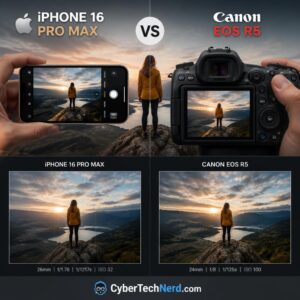
The iPhone 15 Pro surprised me with consistency. Every shot looked good. Not just the carefully composed landscape in golden hour — the rushed photo of a restaurant receipt, the blurry snapshot of my dog mid-jump, the video I recorded while walking down a bumpy sidewalk. The 48MP main sensor with sensor-shift stabilization produced usable results in situations where my Pixel would have given me a smeared mess.
Video recording is where the iPhone genuinely dominates. ProRes, Cinematic Mode, and Action Mode give you tools that rival dedicated cameras. I shot a 3-minute product demo for a client entirely on the iPhone, and they asked what camera I used. When I said “my phone,” they didn’t believe me.
The catch: The default photo processing leans warm and smooth. If you prefer the cooler, more contrast-heavy look of Pixel photos, you’ll need to edit. Apple’s Photographic Styles feature helps, but it’s not as granular as the RAW processing options on Android.
🔗 Recommended: Invest in a Moment lens attachment if you want to push the iPhone camera beyond its stock capabilities. The anamorphic lens is particularly impressive for video.
Surprise #8: Battery Life Is Better Than Android Fans Want to Admit
I went into this expecting to charge my iPhone twice a day. Android flagships had trained me to associate small batteries with constant anxiety.
The iPhone 15 Pro’s 3,274 mAh battery sounded laughably small compared to the 5,000 mAh cells in most Android flagships. But iOS power management is ruthlessly efficient. Background app activity is severely restricted. Apps don’t silently sync, ping location services, or run persistent notifications unless you explicitly allow it.
My typical day: 7 AM to 11 PM, moderate-to-heavy use (email, Slack, Safari, Spotify, camera, Maps), and I consistently ended the day with 15–25% battery remaining. My Pixel 7, under the same usage pattern, usually hit 5% by 9 PM.
The smaller battery number is misleading. Think of it like a fuel-efficient hybrid versus a gas-guzzling SUV with a bigger tank. The tank size matters less than the miles per gallon.
Surprise #9: Apple’s Subscription Machine Never Stops
This was the most financially jarring surprise. Apple doesn’t just sell you hardware — it sells you a subscription lifestyle.
Within my first month, I found myself paying for:
- iCloud+ (200GB): $2.99/month — because the free 5GB fills up in about 72 hours
- Apple Music: $10.99/month — because Spotify’s integration with Siri and the Apple Watch is clunky
- Apple TV+: $9.99/month — because a free trial turned into a habit
- Apple One bundle consideration: $19.95/month — which started looking like a deal
On Android, I used Google Photos (free tier), YouTube Music (free with ads), and never paid for cloud storage because I managed files locally or through a self-hosted Nextcloud instance.
Apple’s services are well-designed and tightly integrated, but the recurring costs add up fast. Budget an extra $15–30 per month beyond your phone payment if you plan to use the ecosystem fully.
🔗 Recommended: If you want to avoid iCloud costs, consider a Synology NAS for local photo backups. It requires upfront investment but eliminates monthly cloud fees entirely.
Surprise #10: Resale Value Made the Price Tag Hurt Less
I paid $999 for the iPhone 15 Pro. That’s roughly $200 more than I’d typically spend on an Android flagship.
Six months later, I checked trade-in values out of curiosity. Apple’s own trade-in program offered $620. Third-party buyback sites like Swappa and Decluttr offered $680–$720. My Pixel 7, purchased for $599, was worth roughly $200 on the same platforms after the same period.
iPhones retain 60–70% of their value after one year. Most Android flagships retain 30–40%. Over a three-year ownership cycle, the total cost of ownership for an iPhone often matches or undercuts a comparable Android device — even though the upfront price is higher.
This surprised me more than anything else on this list. I’d spent a decade arguing that Android offered better value. The math tells a different story if you plan to sell or trade in your device.
What I Genuinely Miss About Android
I want to be honest rather than turn this into an Apple advertisement. Several things about Android still outperform iOS:
- Notification management. Android’s notification system is years ahead. Grouped notifications, inline replies, notification channels, and the ability to snooze or prioritize alerts on a per-app basis — iOS 18 still can’t match it.
- Default app freedom. I want to set Firefox as my default browser and Signal as my default SMS app without restrictions. iOS allows some default changes, but the implementation is inconsistent.
- File system access. Managing files on Android feels like using a computer. On iOS, the Files app is a confusing abstraction layer that makes simple tasks (like moving a PDF from Mail to a specific folder) unnecessarily complex.
- Hardware variety. If you want a foldable, a phone with a stylus, a headphone jack, or expandable storage, Android is your only option. Apple’s lineup is rigid.
- Price range. You can buy a perfectly functional Android phone for $200. Apple’s cheapest new iPhone starts at $599 (iPhone SE), and it still uses a design from 2020.
Android vs iPhone: Head-to-Head Comparison (2025)
| Feature | Android (Flagship) | iPhone (15 Pro / 16 Pro) |
|---|---|---|
| Starting Price | $699–$999 | $999–$1,199 |
| OS Updates | 4–7 years (varies by brand) | 6–8 years (consistent) |
| Customization | Extensive | Limited (improving) |
| App Sideloading | Yes | EU only (restricted) |
| Default Apps | Full control | Partial control |
| Privacy Controls | Good (requires setup) | Excellent (out of the box) |
| Notification System | Superior | Adequate |
| Camera (Photo) | Excellent | Excellent |
| Camera (Video) | Very Good | Industry-leading |
| Battery Life | Good–Great (varies) | Good–Great (consistent) |
| Ecosystem Integration | Good (Google services) | Excellent (Apple devices) |
| Resale Value (1 yr) | 30–40% | 60–70% |
| Repairability | Varies (improving) | Moderate (Apple Self Service) |
| File Management | Full access | Restricted |
7 Practical Tips If You’re About to Switch From Android to iPhone
- Back up your Android data to Google Drive first. Even though “Move to iOS” handles most transfers, having a cloud backup gives you a safety net for anything that doesn’t carry over.
- Write down your 2FA codes. Authenticator apps don’t always transfer cleanly. Export your Google Authenticator or Authy tokens before wiping your Android device.
- Download Apple’s “Move to iOS” app on your Android phone before you start the setup process. You’ll need it during the initial iPhone configuration — you can’t access it later without a factory reset.
- Set up iCloud Advanced Data Protection immediately. This enables end-to-end encryption for your iCloud backups, Notes, Photos, and more. Without it, Apple holds the encryption keys to your cloud data.
- Explore Shortcuts (the app). Apple’s Shortcuts app is the closest iOS equivalent to Tasker. It won’t match Tasker’s depth, but you can automate tasks like toggling Wi-Fi, sending preset messages, and resizing photos.
- Give it two weeks before judging. The first week is pure muscle-memory frustration. You’ll reach for gestures that don’t exist and search for settings that live in different places. By week two, your brain adapts faster than you expect.
- Don’t buy accessories immediately. Wait until you understand your usage patterns before investing in cases, MagSafe chargers, or AirPods. Your needs on iOS may differ from your Android habits.
🔗 Recommended: A MagSafe-compatible wallet and stand is the one accessory I wish I’d bought sooner. It replaced my bulky phone case and cardholder combo.
Frequently Asked Questions
Is switching from Android to iPhone difficult in 2025?
Not anymore. Apple’s “Move to iOS” app transfers contacts, message history, photos, videos, web bookmarks, mail accounts, and calendars wirelessly. The process takes 15–30 minutes for most users. The biggest challenge isn’t the technical transfer — it’s relearning muscle memory for gestures and navigation patterns. Give yourself two weeks to adjust.
Will I lose my WhatsApp chat history when I switch to iPhone?
No, as long as you use the official transfer method during initial iPhone setup. WhatsApp now supports direct Android-to-iOS chat migration through the “Move to iOS” app. Make sure both phones are on the latest OS version, connected to power, and on the same Wi-Fi network. Do not skip this step during setup — you cannot transfer WhatsApp history after the initial configuration without third-party tools.
Is iPhone more secure than Android?
In practical terms, yes — for most users. iOS’s closed ecosystem, strict App Store review process, and aggressive sandboxing reduce the attack surface for malware. Apple also pushes security updates to all supported devices simultaneously, whereas Android updates depend on your manufacturer and carrier. That said, Android’s security has improved dramatically, and a security-conscious Android user with a Pixel or Samsung device running the latest patches faces minimal risk. The gap is narrower than it was five years ago.
Can I use Google services on an iPhone?
Absolutely. Gmail, Google Maps, Google Drive, Google Photos, YouTube, Chrome, and Google Calendar all have excellent iOS apps. Many Android users don’t realize that Google develops some of its best iOS apps because the App Store’s monetization model is more lucrative. You can even set Gmail and Chrome as your default mail and browser apps on iOS 14 and later.
Why do iPhone users get blue bubbles and Android users get green?
Blue bubbles indicate iMessage, Apple’s proprietary messaging protocol that works only between Apple devices. Green bubbles indicate standard SMS/MMS, the universal texting protocol that all phones support. When an iPhone user texts an Android user, the conversation falls back to SMS/MMS, which lacks features like read receipts, typing indicators, high-quality media, and end-to-end encryption. Google’s RCS protocol is closing this gap, but Apple has been slow to adopt it.
How long do iPhones last compared to Android phones?
iPhones typically receive major iOS updates for 6–8 years. The iPhone 6s, released in 2015, received iOS 15 in 2021 — six years of updates. Android support varies by manufacturer: Samsung and Google now promise 7 years of OS updates for flagship devices, but most other brands offer 2–4 years. In terms of hardware longevity, iPhones tend to maintain performance longer due to Apple’s tight hardware-software integration and the A-series chip’s performance headroom.
Is it worth switching from Android to iPhone for privacy?
If privacy is your primary concern and you don’t want to spend hours configuring settings, iOS offers stronger out-of-the-box protections. App Tracking Transparency, stricter permission models, and on-device processing for Siri requests give iPhone users a higher privacy baseline. However, a knowledgeable Android user running GrapheneOS on a Pixel device can achieve privacy protections that exceed Apple’s. The answer depends on your technical comfort level and willingness to tinker.
The Bottom Line: Should You Make the Switch?
Six months in, I’m not going back to Android. That statement would have shocked me a year ago, and it probably shocks some of you reading this right now.
The switch wasn’t about one feature or one killer app. It was about the accumulation of small frictions on Android that I’d normalized over a decade — the delayed updates, the inconsistent Bluetooth, the background battery drain from apps I’d already “restricted,” the fragmented experience across devices. The iPhone didn’t solve every problem, but it eliminated enough of them that my daily technology experience became noticeably calmer.
That said, the iPhone isn’t for everyone. If you value customization, file system access, notification control, hardware variety, or the philosophical principle of open ecosystems, Android remains the better choice. Neither platform is objectively superior. They optimize for different priorities.
Your next step: If you’re considering the switch, don’t rely on spec sheets or YouTube comparisons. Borrow an iPhone from a friend for a weekend. Use it as your primary device for 48 hours. Pay attention to what frustrates you and what delights you. The data points that matter most are the ones you generate yourself.
And if you do make the jump, enable Advanced Data Protection, audit your app permissions, and resist the urge to subscribe to every Apple service in the first week. Your wallet — and your digital privacy — will thank you.
Have you switched from Android to iPhone (or vice versa)? What surprised you most? Drop your experience in the comments below — we read every single one.