Introduction: Why Apple Contact Key Verification Security Exists
For years, we obsessed over encryption.
We locked messages with military-grade math.
We protected files with public-private key pairs.
We built digital vaults so strong even governments couldn’t crack them.
And yet, we missed something painfully obvious.
What’s the point of locking the box…
if you’re handing it to the wrong person?
This is the exact gap Apple Contact Key Verification Security is designed to close.
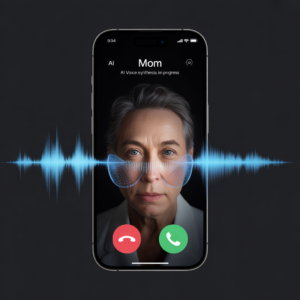
Today’s scams aren’t generic. They’re personal. Artificial intelligence can now:
- Mimic your writing style
- Clone your voice
- Recreate your face
- Imitate people you trust
That means encryption alone is no longer enough. Identity must be verified too.
And Apple, quietly but decisively, stepped into that reality.
Apple Contact Key Verification Security Explained in Plain English
Let’s strip away the jargon.
Apple Contact Key Verification Security ensures that the person you’re messaging on iMessage is actually the person you think it is.
Yes, iMessage has always been end-to-end encrypted.
No one could read your messages in transit.
But encryption doesn’t protect you from:
- A hijacked Apple ID
- A SIM-swap attack
- A compromised device
- Someone impersonating your contact
That’s where verification comes in.
What the checkmark really means
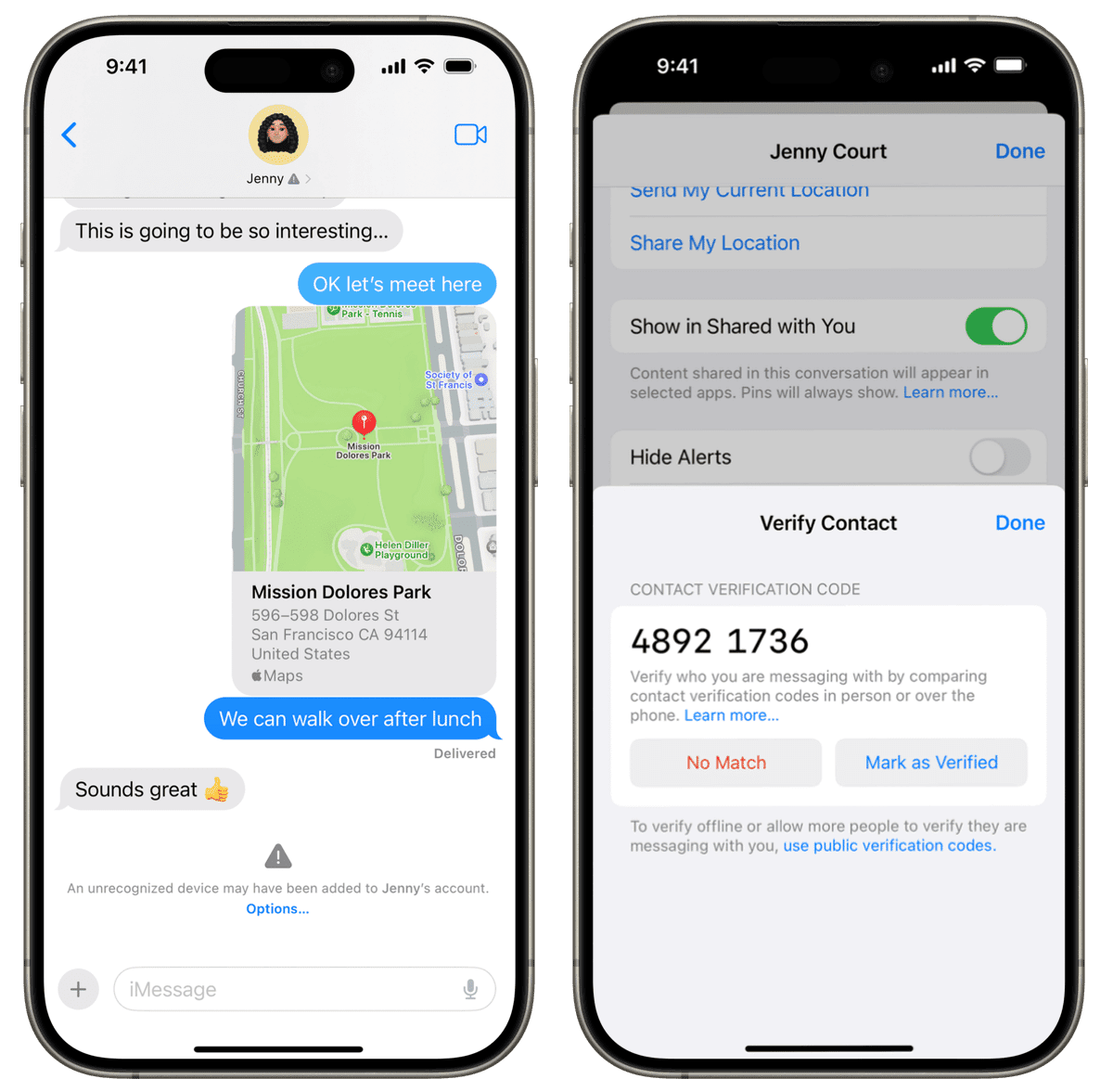
That small checkmark next to a contact confirms:
- Their Apple ID hasn’t been secretly changed
- No unknown device was added
- Their encryption keys haven’t been swapped
- Their identity remains consistent across devices
If anything suspicious happens—you get alerted immediately.
No guessing. No blind trust.
Apple Contact Key Verification Security vs Traditional Encryption
Here’s where many people get confused.
Encryption protects messages.
Verification protects people.
They solve different problems.
Encryption answers:
“Can someone read this message?”
Verification answers:
“Am I talking to the right human?”
To make this clearer, here’s a comparison.
| Feature | Encryption Only | Apple Contact Key Verification Security |
|---|---|---|
| Message privacy | ✅ Yes | ✅ Yes |
| Identity confirmation | ❌ No | ✅ Yes |
| Alerts on hijacked accounts | ❌ No | ✅ Yes |
| Detects SIM swap attacks | ❌ No | ✅ Yes |
| Continuous background checks | ❌ No | ✅ Yes |
| User effort after setup | None | None |
Think of encryption as a locked door.
Verification is checking the face of the person knocking.
You need both.
Why Apple Contact Key Verification Security Matters More Now
Ten years ago, impersonation scams were sloppy.
Bad grammar. Obvious lies. Sketchy emails.
Today? They’re frighteningly convincing.
AI can now:
- Write like your boss
- Text like your spouse
- Sound like your bank
- Look like your friend on FaceTime
This is why Apple Contact Key Verification Security isn’t overkill—it’s preparation.
As explained in Apple’s own security architecture, identity verification is becoming a foundational layer of modern communication (see Apple’s official security documentation with emphasis on advanced protection).
Even privacy-first platforms like Signal and ProtonMail adopted key verification years ago. Apple didn’t invent this idea—it normalized it.
And unlike manual verification systems that people ignore, Apple automated the process so it actually works in the real world.
How Apple Contact Key Verification Security Works Behind the Scenes
Here’s the magic—without the math headache.
When enabled:
- Every Apple ID gets a public verification key
- That key stays consistent across trusted devices
- iMessage constantly checks for unexpected changes
- Any anomaly triggers an alert
You’ll be alerted if:
- A new device is added to a contact’s Apple ID
- Their Apple ID is compromised
- A SIM swap occurs
- Contact Key Verification is turned off
- Encryption keys unexpectedly change
In short, Apple Contact Key Verification Security watches silently while you live your life.
Ideally, you’ll never hear from it.
And that’s the point.
Who Actually Needs Apple Contact Key Verification Security?
Let’s be honest.
Not everyone needs to verify 400 contacts.
Security should match reality.
Best use cases:
- Immediate family
- Romantic partners
- Close friends
- Business partners
- Journalists, activists, executives
- Anyone handling sensitive information
Trying to verify everyone will drive you crazy—and probably your relatives too.
Sometimes security meets… human resistance.
The Only Real Drawback of Apple Contact Key Verification Security
There’s no daily inconvenience.
No pop-ups.
No performance hit.
The only “cost” is setup time.
Every device linked to an Apple ID must:
- Be updated to a compatible OS
- Support Apple Contact Key Verification Security
Old, forgotten devices can block activation.
This is often how people discover:
- Ancient MacBooks
- Retired iPads
- Long-ignored devices tied to Apple IDs
Annoying? Yes.
But also a blessing in disguise.
It forces better digital hygiene.
How to Turn On Apple Contact Key Verification Security
Enabling Apple Contact Key Verification Security is refreshingly simple.
Step-by-step:
- Open Settings
- Tap your Apple ID name
- Scroll down to Contact Key Verification
- Toggle Verification ON
At this point:
- You’ll either see confirmation
- Or be prompted to update/remove old devices
Once resolved, your public verification code appears.
Don’t panic.
It’s not secret.
It’s meant to be shared for verification.
How to Verify a Contact In Person (Fastest Method)
This is the easiest and most secure way.
Both people must:
- Have Apple Contact Key Verification Security enabled
- Open the same iMessage conversation
Then:
- Tap the contact’s name
- Scroll down → Verify Contact
- A six-digit code appears on both devices
- Confirm the numbers match
- Tap Mark as Verified
Done.
The checkmark appears.
That’s trust—confirmed.
How to Verify a Contact Remotely Using Public Codes
Not in the same room? No problem.
How it works:
- Go to Settings → Apple ID → Contact Key Verification
- Tap Show Public Verification Code
- Share the code via:
- Email (best)
- Secure message (acceptable)
- Receive their code in return
Then:
- Open their contact card
- Tap Edit
- Scroll to Add Verification Code
- Paste (manual typing isn’t allowed)
Once added, verification completes automatically.
Simple. Quiet. Effective.
What Apple Contact Key Verification Security Does Not Change
This part matters.
Turning it on does not:
- Change how you text
- Slow down iMessage
- Alert contacts constantly
- Affect daily usability
It simply adds a background safety net.
Most people will forget it exists—
until the day it saves them.
Why Apple Contact Key Verification Security Is a Big Deal for the Future
We’re entering an era where:
- Identity is fluid
- AI blurs reality
- Trust must be earned digitally
Apple Contact Key Verification Security is Apple’s first major step toward identity-verified communication at scale.
It won’t be the last.
Soon, verification won’t feel optional—it’ll feel essential.
Just like HTTPS.
Just like two-factor authentication.
Just like encryption itself.
Call-to-Action
🔐 Turn on Apple Contact Key Verification Security today
📤 Verify the people who matter most
📢 Share this with someone who still thinks “it won’t happen to me”