Disclaimer: This article is for educational purposes only. It does not constitute professional cybersecurity, financial, or legal advice. Always consult a qualified cybersecurity expert or your financial institution for guidance specific to your situation.
8 Dangerous Online Security Mistakes That Could Cost You Your Bank Account
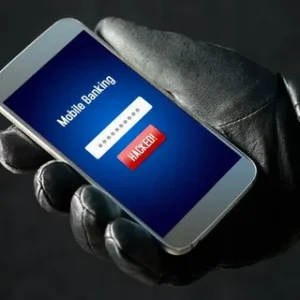
Your bank account could be draining right now, and you might not even know it. If you think cybercriminals only target corporations or “important” people, this article was written specifically for you.
Introduction
Picture this: you wake up on a Tuesday morning, reach for your phone, and find a string of notifications from your bank. Transactions you never made. Money you never spent. Gone.
This is not a rare horror story. According to the FBI’s Internet Crime Complaint Center, Americans lost over $10.3 billion to cybercrime in a single year, with financial fraud topping the list. And here is the uncomfortable truth: most of those victims were not careless people. They were ordinary folks who simply did not know which online security mistakes were putting them at risk.
The good news? Every single one of the dangerous online security mistakes covered in this article is completely preventable. You do not need a computer science degree. You do not need expensive software. You need the right information, and you need to act on it.
Whether you do your banking on a laptop, manage your finances through an app, or shop online regularly, these mistakes are relevant to you. Hackers do not discriminate. They look for the easiest targets, and right now, millions of people are unknowingly waving a giant “rob me” sign by making these exact errors.
Let’s fix that.

Mistake 1: Using Weak Passwords Is the Most Dangerous Online Security Mistake You Can Make
Let’s start with the one everyone knows about and almost no one takes seriously enough. Weak passwords are the digital equivalent of leaving your front door wide open with a neon sign that says “Come on in.”
If your password is your pet’s name, your birthday, the word “password,” or any combination of those, you are not protected. You are simply hoping no one tries. And the reality is that modern hacking tools can crack a simple 8-character password in under a second using a technique called “brute force,” where software automatically tries millions of combinations until it hits the right one.
What makes a password strong?
- At least 14 characters long
- A mix of uppercase and lowercase letters, numbers, and symbols
- No real words, names, or dates
- Unique to each account (never reused across sites)
The reuse problem is especially dangerous. When a company you have an account with gets hacked (and it happens constantly, think LinkedIn, Adobe, Equifax), your leaked password gets sold on the dark web. If that same password unlocks your bank account, you are done.
The fix: Use a password manager like Bitwarden, 1Password, or Dashlane. These tools generate and store complex passwords for every account, so you only need to remember one master password. It takes 20 minutes to set up and could save you thousands.
Mistake 2: Skipping Two-Factor Authentication Leaves Your Bank Account Exposed to Online Security Breaches
Even if your password is strong, it is just one lock on the door. Two-factor authentication (2FA) adds a second lock, and skipping it is one of the most dangerous online security mistakes you can make in 2025.
Here is how 2FA works: after entering your password, you are asked to verify your identity a second way. This is usually a code sent to your phone, generated by an app like Google Authenticator, or confirmed via a biometric scan. Even if a hacker somehow gets your password, they still cannot get in without that second factor.
The numbers back this up hard. Microsoft research found that accounts with 2FA enabled are 99.9% less likely to be compromised according to their top security research on account attack prevention. That is not a marginal improvement. That is a near-complete shield.
Types of 2FA, ranked from best to most basic:
- Hardware security key (e.g., YubiKey): Most secure. Physically plug it in or tap it.
- Authenticator app (e.g., Authy, Google Authenticator): Very secure. Generates a time-sensitive code.
- SMS text code: Better than nothing, but vulnerable to SIM-swapping attacks.
- Email code: Least recommended. If your email is compromised, so is everything else.
Enable 2FA on every financial account you own. Most banks, brokerage platforms, and payment apps support it. It is free. There is no excuse not to use it.
Mistake 3: Falling for Phishing Scams Is a Dangerous Online Security Mistake That Empties Bank Accounts Daily
Phishing is not some exotic, high-tech attack. It is a digital con game, and it works because it exploits something far more vulnerable than software: human trust.
A phishing attack typically looks like a legitimate email or text from your bank, the IRS, PayPal, or even a friend. The message creates urgency: “Your account has been compromised. Click here immediately to secure it.” You click. You enter your login credentials on a fake site that looks identical to the real one. And just like that, a criminal has your username and password.
Phishing now accounts for more than 36% of all data breaches, making it the single most common attack vector. The scams have gotten frighteningly sophisticated. Criminals now use AI to craft emails with perfect grammar, your name, and even your bank’s actual logo and email formatting.
Red flags to watch for in every email or message:
- Urgency language (“Act now or your account will be closed”)
- Generic greetings like “Dear Customer” instead of your name
- Mismatched or slightly off email addresses (e.g., support@paypa1.com)
- Links that do not match the company’s real domain
- Attachments you were not expecting
- Requests for your password, PIN, or Social Security number
The rule of thumb: Never click a link in an email or text to access your bank. Always open a new browser tab and type the address yourself. When in doubt, call the company directly using the number on the back of your card.
Mistake 4: Using Public Wi-Fi for Banking Is a Dangerous Online Security Mistake Hackers Count On
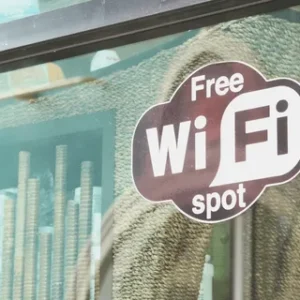
Coffee shops, airports, hotel lobbies, libraries. These places all share one thing: free Wi-Fi that hackers love almost as much as you do.
Public Wi-Fi networks are often unsecured, meaning the data traveling between your device and the internet is not encrypted. Anyone on the same network with the right tools can “sniff” that traffic and intercept what you are sending and receiving. This type of attack is called a Man-in-the-Middle (MitM) attack, and banking on public Wi-Fi is practically rolling out the welcome mat for it.
Criminals also set up fake Wi-Fi hotspots with convincing names like “Starbucks_Free_WiFi” or “Airport_Guest” in high-traffic areas. You connect, thinking you are on the venue’s network. You are actually on theirs, and everything you do flows directly through their system.
What you should never do on public Wi-Fi:
- Log in to online banking or financial apps
- Make purchases or enter credit card numbers
- Access your email if it is linked to financial accounts
- Log in to any account where sensitive personal data is stored
The fix is simple: Use your phone’s mobile data connection for banking. If you must use public Wi-Fi, a Virtual Private Network (VPN) encrypts your connection and makes your data unreadable to eavesdroppers. Reputable VPNs include NordVPN, ExpressVPN, and ProtonVPN. A few dollars a month is worth a lot more than your bank account balance.
Mistake 5: Ignoring Software Updates Is a Dangerous Online Security Mistake That Opens the Door to Hackers
You have seen the notification a hundred times: “A software update is available. Restart to install.” And you have clicked “Remind Me Later” a hundred times. Most people have. It feels like an inconvenience. Hackers know it feels like an inconvenience. That is why they count on you ignoring it.
Software updates often contain critical security patches. When developers discover vulnerabilities in their software (flaws that hackers could exploit to gain access to your system), they release updates to fix them. Once those vulnerabilities become public knowledge, which they always do, attackers scramble to target every device that has not yet applied the patch.
The WannaCry ransomware attack in 2017 infected over 230,000 computers in 150 countries. The vulnerability it exploited had already been patched by Microsoft. Every single infected machine was running an outdated version of Windows. That attack caused an estimated $4 billion in damages, all because people skipped updates.
Keep these updated at all times:
- Your operating system (Windows, macOS, iOS, Android)
- Your browser (Chrome, Firefox, Safari, Edge)
- Your banking and financial apps
- Your antivirus software
- Your router firmware (this one is often forgotten)
Turn on automatic updates wherever possible. You will never miss a security patch again, and you will never have to think about it.
Mistake 6: Oversharing on Social Media Is a Dangerous Online Security Mistake Cybercriminals Actively Exploit
Social media has turned us all into open books, and cybercriminals are avid readers.
The information you post publicly can be used to answer your security questions, guess your passwords, craft personalized phishing messages, or even steal your identity outright. Your pet’s name on Instagram. Your birthday celebrated on Facebook. Your mother’s maiden name mentioned in a heartfelt post. Your high school, your city, your workplace.
Most banks still use security questions like “What is your mother’s maiden name?” or “What was the name of your first pet?” If those answers are visible anywhere on your social media profiles, they are visible to anyone who wants to access your account.
This technique, known as “social engineering,” is how attackers build a detailed profile of a target before striking. According to research from the World Economic Forum on best cybersecurity practices, human error, including oversharing and social manipulation, accounts for 95% of all cybersecurity breaches worldwide.
Audit your social media today:
- Set profiles to private wherever possible
- Remove your birthday, hometown, and phone number from public bios
- Never post photos of your debit or credit card, even partially visible
- Avoid announcing vacations in real time (you are also announcing an empty home)
- Do not use real answers to security questions. Treat them like passwords and store made-up answers in your password manager.
Mistake 7: Reusing Email Addresses and Ignoring Breach Alerts Is a Dangerous Online Security Mistake Most People Do Not Realize They Are Making
Your email address is the skeleton key to your digital life. Most accounts, including your bank, use your email for password resets. If someone gains access to your email, they can reset every other password you own.
Here is the dangerous online security mistake hiding in plain sight: using the same email address for everything, especially for throwaway accounts on sketchy or low-security websites. When those sites get breached (and they do, constantly), your email address ends up in criminal databases alongside whatever password you used.
Even if you use a different password for your bank, your email is now known to hackers. They will target it specifically, try to get into it through phishing or by exploiting weak security questions, and then work backward to every account tied to it.
What to do right now:
- Use a dedicated email address exclusively for financial accounts. Never sign up for newsletters, social media, or apps with it.
- Use an alias email (like those offered by Apple’s Hide My Email or services like SimpleLogin) for everything else
- Sign up for breach monitoring at HaveIBeenPwned.com, a free service that alerts you when your email appears in a known data breach
- Enable 2FA on your primary email account before anything else
Think of your financial email like a secret identity. The fewer people who know it exists, the safer it is.
Mistake 8: Not Monitoring Your Bank Accounts Regularly Is a Dangerous Online Security Mistake That Lets Fraud Go Undetected
The final dangerous online security mistake is a passive one, and it might be the most costly. Not because it invites an attack, but because it lets one continue unchallenged.
Fraud alerts do not always catch everything. Small unauthorized transactions, sometimes called “card testing” by criminals, often fly under the radar because they are small. Hackers who steal card details frequently test them with tiny charges of $1 or $2 before making larger purchases. If you do not check your statements, you might not notice until hundreds or thousands of dollars have already disappeared.
Bank fraud resolution can also be time-sensitive. Most financial institutions require you to report unauthorized transactions within a specific window (often 60 days) to qualify for reimbursement. Miss that window and you may be out of luck entirely.
Build a simple monitoring routine:
- Check your bank and credit card transactions at least twice a week
- Set up transaction alerts by text or email for every purchase, no minimum threshold
- Review your full monthly statement line by line when it arrives
- Check your credit report regularly (you can do this for free at AnnualCreditReport.com) to catch new accounts you did not open
- Consider a credit freeze with the major bureaus (Equifax, Experian, TransUnion) if you suspect identity theft
Catching fraud early is the difference between a 20-minute phone call to your bank and a months-long nightmare of disputed charges and drained savings.
Bonus Section: The Most Dangerous Online Security Mistakes vs. What Actually Protects You
Let’s put this all in one place. If you are the visual type (and even if you are not), this table gives you a fast-reference guide to every mistake covered in this article and the fix that neutralizes it.
| Dangerous Online Security Mistake | Why It’s Dangerous | The Fix | Difficulty to Fix |
|---|---|---|---|
| Weak or reused passwords | Enables brute-force and credential stuffing attacks | Use a password manager with unique, complex passwords | Easy |
| Skipping two-factor authentication | One stolen password = full account access | Enable 2FA on all financial accounts | Easy |
| Clicking phishing links | Hands over login credentials to criminals | Never click financial links in email; go direct | Easy |
| Banking on public Wi-Fi | Exposes data to interception | Use mobile data or a VPN | Easy-Moderate |
| Ignoring software updates | Leaves known vulnerabilities open to exploits | Enable automatic updates on all devices | Easy |
| Oversharing on social media | Fuels social engineering and identity theft | Audit privacy settings; don’t reveal security question answers | Moderate |
| Reusing your primary email | Makes your email the master key for account takeovers | Use a separate, private email for banking | Moderate |
| Not monitoring accounts | Allows fraud to go undetected and unchallenged | Set alerts and check accounts at least twice weekly | Easy |
Print this out. Tape it to your fridge. Send it to someone you care about. Every fix in this table is free or low-cost, and all of them take less than an hour to implement.
What Hackers Actually Look For (And Why You Might Be a Target)
A common myth is that cybercriminals are hunting for wealthy, high-profile targets. The truth is the opposite. They look for easy targets, people who have not updated their software, who reuse passwords, who click without thinking.
Automated bots scan millions of accounts every day looking for known weak passwords, email addresses that have appeared in data breaches, and accounts without 2FA. It is not personal. It is a numbers game. And the people who do not protect themselves simply become the path of least resistance.
You do not have to be perfectly secure. You just have to be more secure than the person who did nothing. Every layer of protection you add pushes attackers toward an easier mark.
Think of it like locking your car in a parking lot. A determined thief can always break a window. But most car thieves walk past locked cars and look for the one left running with the keys inside.
The Psychology Behind These Dangerous Online Security Mistakes
Here is something nobody talks about enough: most dangerous online security mistakes are not caused by stupidity. They are caused by optimism bias, the very human tendency to believe bad things happen to other people.
“I am not important enough to hack.” “My bank protects me.” “I would recognize a scam.” These thoughts feel reasonable, but they are exactly what makes people vulnerable.
Cybersecurity researchers call this the “it-won’t-happen-to-me” effect, and it is one of the most powerful forces working against personal digital safety. When we underestimate risk, we underinvest in prevention.
The solution is not fear. Fear leads to paralysis. The solution is informed action, taking 60 minutes this weekend to run through the checklist in this article and close the gaps one by one.
You would not leave your front door unlocked because you “feel safe” in your neighborhood. Your digital front door deserves the same logic.
How to Build a Personal Online Security Routine That Actually Sticks
Knowing what not to do is half the battle. Building habits that protect you automatically is the other half.
The best security routines are invisible. Once they are set up, they run in the background without requiring daily effort. Here is a sustainable structure that anyone can follow.
Weekly (5 minutes):
- Scan your bank and credit card transactions for anything unfamiliar
- Check your email for breach alerts from HaveIBeenPwned
Monthly (15 minutes):
- Review full monthly bank and credit card statements line by line
- Check that all apps and software on your devices are updated
- Review any new account activity or linked devices in your bank’s settings
Annually (30 minutes):
- Pull your free credit report from AnnualCreditReport.com
- Update passwords on your most critical accounts using your password manager
- Review your social media privacy settings, platforms change them frequently
- Audit which apps have access to your bank or financial accounts and remove any you no longer use
This is not a heavy lift. Most of it becomes second nature within a month. And the peace of mind that comes from knowing your financial accounts are locked down is worth every minute.
When to Contact Your Bank Immediately
Some situations require immediate action, not a “deal with it tomorrow” approach. If any of the following happen, call your bank’s fraud line right away.
- You see a transaction you do not recognize, even a tiny one
- You receive a password reset email you did not request
- You get a text with a one-time code you did not ask for
- Your banking app suddenly logs you out and will not accept your password
- You receive a call from someone claiming to be your bank asking for your PIN or full account number (legitimate bank staff will never ask for your PIN)
- Your credit score drops unexpectedly, which could signal fraudulent accounts in your name
The faster you act, the better your chances of recovering any lost funds and stopping ongoing access to your accounts.
Dangerous Online Security Mistakes: The Industry Is Finally Catching Up
Banks, tech companies, and governments are investing more in cybersecurity infrastructure than ever before. Biometric authentication, behavioral analytics, real-time fraud detection powered by AI. These tools are getting better every year.
But institutional protection only goes so far. The most sophisticated fraud prevention system in the world cannot stop you from handing your password to a phishing page. It cannot stop you from banking on a compromised Wi-Fi network. It cannot stop you from reusing a password that was already leaked in a breach.
The bottom line: the banks are doing their part. You need to do yours.
Personal cybersecurity is not a technical skill reserved for IT professionals. It is a life skill in 2025, as essential as knowing how to lock your car, keep your PIN private, or shred your bank statements before throwing them away.
Conclusion
Protecting your bank account online does not require becoming a tech expert. It requires recognizing the dangerous online security mistakes that leave the door open and taking a few deliberate steps to close it.
A strong, unique password paired with two-factor authentication eliminates the vast majority of risk before we even get to the other six mistakes on this list. Add in a healthy skepticism toward urgent emails, a VPN for public Wi-Fi, automatic updates, a private banking email, and a regular habit of checking your statements, and you have built a genuinely formidable defense.
The hackers will move on to someone else. That someone else is the person who read this article and did nothing.
Do not be that person.
Take Action Today
Share this article with someone you care about. A parent, a partner, a friend who still banks on coffee shop Wi-Fi. One conversation could save them from a devastating experience
Drop a comment below: Which of these dangerous online security mistakes surprised you most? Have you or someone you know been targeted by online fraud? Your experience could help someone else avoid the same fate.
This article is for educational purposes only. Always consult your financial institution or a qualified cybersecurity professional for advice specific to your situation.