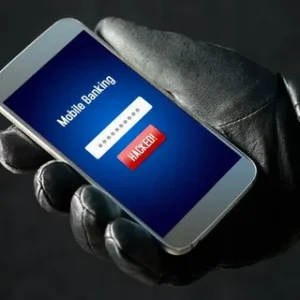
Imagine you reach for your phone—your lifeline, your wallet, your map to the world—only to discover someone else has been living in it. Creepy? Realistic? Yup, unfortunately both. In 2025, mobile phones are prime targets for hackers who want your data, money, or identity.
1️⃣ The Smartphone Battlefield: Why Phones Are Targets
Your Pocket Computer Is Very Valuable
Smartphones are no longer simple communication devices—they’re mini computers storing your financial apps, personal messages, photos, and social accounts. Attackers know this, so they work tirelessly to find ways in. Nearly 33.8 million mobile devices were attacked in 2023 alone, and that number keeps rising as hackers get more clever. (DeepStrike)
- Even apps you think are safe can carry spyware.
- Messages you read can secretly launch attacks.
- Networks you connect to might be traps.
In short, hackers go after phones because that’s where you’ve put everything valuable.
Hackers Don’t Always “Sneak In” the Way You Think
Most people picture a criminal sitting in a hoodie typing furiously, but reality is different. Many modern attacks don’t even require you to click anything. Some exploit software bugs automatically—these are called zero-click attacks, and they can silently compromise phones without any user action. (Kaspersky)
- Zero-click attacks exploit software flaws silently.
- Remote access can happen just by sending malformed data.
- High-value spyware (like Pegasus) used this technique in the past.
Understanding how phones are actually breached is the first step in stopping them.
Image Placeholder
Consider adding an infographic here that shows different mobile hacking methods.
2️⃣ How Hackers REALLY Break Into Phones
This section breaks down the real techniques hackers use—from low-effort scams to advanced exploits.
🔓 1. Phishing & Smishing Tactics
One of the most common ways hackers get inside your phone is through deception:
- Phishing: Emails or pop-ups designed to look legitimate to steal your credentials. (McAfee)
- Smishing: Same thing, but over SMS — usually with messages like “Your bank account is locked, click here.” (McAfee)
These tricks look innocent, but that link can install spyware that sends your passwords straight to the attacker.
📲 2. Malicious & Fake Apps
Hackers often disguise malware as a useful app.
- Fake apps can mimic real ones but with hidden spyware.
- Once installed, they can track your activity or steal data. (DeepStrike)
These are often found outside of official app stores, where vetting is weak.
👤 3. Social Engineering
This is psychological manipulation rather than technical wizardry.
- Hackers convince you to reveal personal info (“Your account was breached, share your password”).
- They trick customer support into changing your account details.
Human psychology is often the weakest link.
4. Zero-Click Exploits: The Silent Intruder
Unlike phishing, zero-click vulnerabilities don’t require any user interaction whatsoever.
These exploits target flaws in how phones process incoming messages, images, or even calls. A crafted message can trigger code that installs malware or gives control of your device. (Kaspersky)
| Threat Type | User Interaction Required? | Typical Use |
|---|---|---|
| Phishing/Smishing | Yes | Steal credentials |
| Fake Apps | Yes | Deploy malware |
| Zero-Click | No | Silent compromise |
| Public Wi-Fi attacks | Sometimes | Intercept data |
| Social Engineering | No | Trick users |
🧠 Key takeaway: Some attacks require effort from the hacker, but zero-click attacks happen silently—all while you sip coffee. (Kaspersky)
🌐 5. Man-in-the-Middle & Wi-Fi Tricks
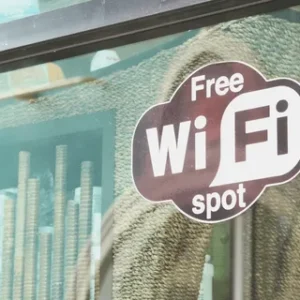
Ever connected to “Free Airport Wi-Fi”? Whoops.
Hackers often set up fake hotspots—called evil twin networks—that look real but are designed to steal your data. When you sign in, they intercept passwords, messages, and sensitive info. (Wikipedia)
🔌 6. USB & Public Charging Risks
When you plug into unknown USB stations—like in airports—the phone may connect data alongside charging. Hackers can use that connection to inject malware. This is related to attacks like BadUSB. (Wikipedia)
👉 While rare, it’s a risk many people ignore.
Image Placeholder
Add an image comparing secure vs insecure phone usage scenarios.
3️⃣ Real-World Signs Your Phone Might Be Hacked
No single symptom confirms a hack, but multiple clues often show something’s wrong. Typical signs include:
- Unexpected battery drain
- Unknown apps you didn’t install
- Strange text messages
- Your data usage suddenly skyrockets
- Pop-ups or browser redirects
These hints suggest something may be stealing your data or network access behind the scenes. (Dashlane)
🔍 Trust your instincts. If it feels off, investigate sooner rather than later.
4️⃣ How to Stop Hackers in Their Tracks
Enough scaring you—here’s how to fight back.
🛡️ 1. Use Strong Authentication
- Long PINs, complex passwords, biometrics.
- Enable Two-Factor Authentication (2FA) everywhere possible. (VERTU® Official Site)
This adds a second lock on your data—even if hackers guess your password.
🔁 2. Keep Your Software Up-to-Date
Security patches fix vulnerabilities hackers exploit—especially zero-day holes. Regular updates are your best defense. (The Guardian Nigeria)
💡 Updates often include patches for newly discovered hacks.
📡 3. Avoid Untrusted Networks
Use a VPN on public Wi-Fi—this encrypts your connection and makes it much harder for attackers to spy on your traffic. (TechRadar)
🪪 4. Download Only From Official App Stores
Everyone loves a free app, but downloading outside official stores increases risk exponentially. (ICO)
Official app stores use scans and reviews that block many malicious apps.
🔍 5. Consider Mobile Security Tools
Apps from companies like McAfee or Norton can help detect malware early. (Numero eSIM)
These tools can alert you to suspicious activity before it becomes a disaster.
🔄 6. Back Up & Remote Wipe
Always have a recent backup—and enable “Find My Device” features. If your phone gets compromised, you can lock or erase data remotely. (Privacy.com)
Image Placeholder
Add a flowchart showing steps after suspected phone compromise.
5️⃣ When Things Go Wrong: What to Do If You Think You’re Hacked
If you suspect a breach:
- Disconnect from networks immediately.
- Change your passwords from another device.
- Run a security scan with a trusted antivirus.
- Remove any apps you don’t recognize.
- Consider a factory reset if problems persist. (McAfee)
Think of your phone as your digital home—if someone breaks in, you’d board up the windows and change the locks!
Conclusion: Staying Ahead of the Hackers
Phones are deeply woven into our lives. The threats—phishing, fake apps, zero-click attacks, evil twin networks—are real. But armed with knowledge and smart habits, you earn back control. Most attacks can be prevented with vigilance, updates, strong authentication, and secure browsing.
Your phone is too important to leave it wide open.