Read This Before Your Data Becomes Someone Else’s Property
Most people think they’re “safe online.”
Strong passwords? Check.
Two-factor authentication? Check.
And yet… people still get hacked every single day.
Why?
Because the biggest threats don’t come from what you don’t know — they come from what you never realized mattered. These online security tips aren’t flashy. They’re not talked about much. But they quietly block the kind of attacks that wreck finances, identities, and peace of mind.
Let’s fix that.
Introduction: Why Online Security Tips Need an Upgrade
Online security tips often feel repetitive.
“Use a VPN.”
“Enable 2FA.”
“Don’t reuse passwords.”
All true. All important.
But also… incomplete.
Modern attacks don’t rely on brute force anymore. They rely on exposure, convenience, and human habits. The tips below focus on closing those quiet gaps most people leave wide open.
Think of this article as tightening the bolts on a door you already locked.

Online Security Tips #1: Separate Your Banking Email (Seriously)
Your primary email address is public.
You use it everywhere. Newsletters. Apps. Social media. Free trials.
That’s exactly the problem.
Why This Online Security Tip Works
Attackers don’t start with passwords.
They start with email addresses.
If your bank emails your everyday inbox, phishing becomes incredibly effective. A fake “account alert” suddenly looks real. Your guard drops. One click later—damage done.
Using a separate, private email for banking and investments shuts this down completely.
How to Implement This Online Security Tip
- Create a new email address used only for:
- Banking
- Investments
- Credit bureaus
- Never share it publicly
- Never use it for communication
Encrypted email providers like
👉 Proton Mail’s privacy-first email
offer stronger protection and minimal data exposure.
Once set up, phishing emails become obvious impostors. Your bank simply doesn’t email your public inbox anymore.
That clarity alone is priceless.
Online Security Tips #2: Stop Handing Out Your Credit Card Number
Every time you swipe or type your card number, you’re trusting a stranger to protect it.
That trust is often misplaced.
Why Tap-to-Pay Is Safer Than Swiping
When you use Apple Pay or Google Pay, merchants never see your real card number.
Instead, they receive:
- A one-time token
- Valid for that transaction only
- Useless if stolen
It’s like giving someone a burner card number that self-destructs after use.
How This Online Security Tip Protects You
- No card number stored by merchants
- No exposure during breaches
- Faster checkout, fewer worries
According to Apple Pay’s security architecture, each transaction is uniquely encrypted and authenticated.
Convenience didn’t weaken security here — it strengthened it.
Online Security Tips #3: Use Unique Username Emails (Not Just Passwords)
Passwords get all the attention.
Usernames quietly ruin everything.
The Problem Most Online Security Tips Ignore
Your email address is half of your login key.
And it’s probably been leaked.
Multiple times.
Once attackers have your email:
- They already own one “key”
- They only need to guess the second
The Solution: Email Aliases
Using unique emails for logins breaks this attack model.
Options include:
- Apple’s Hide My Email
- Proton aliases
- Email “plus addressing” (email+site@gmail.com)
Each account gets a different login identity. One breach doesn’t domino into ten.
This single online security tip dramatically reduces account takeovers.
Online Security Tips #4: Freeze Your Credit (It’s Not Extreme)
This might be the most underrated online security tip ever.
What a Credit Freeze Actually Does
A credit freeze:
- Blocks new accounts opened in your name
- Stops identity thieves cold
- Costs nothing in most regions
Even if someone has:
- Your name
- Your address
- Your date of birth
They still can’t open credit.
Why This Online Security Tip Beats Monitoring
Credit monitoring tells you after damage happens.
A credit freeze prevents it entirely.
You can temporarily “thaw” it when applying for loans or cards. Then it automatically locks again.
Simple. Powerful. Criminal-proof.
Online Security Tips #5: Remove Yourself from Data Brokers
Your personal data is for sale.
Right now.
What Data Brokers Collect
They gather and sell:
- Phone numbers
- Home addresses
- Emails
- Family members
- Location history
This fuels scams, stalking, and identity theft.
Why Manual Removal Is Unrealistic
There are hundreds of brokers.
Each has its own process.
Each requires repeated requests.
That’s why services like
👉 DeleteMe’s data removal service
exist — they automate removals at scale.
This online security tip doesn’t just reduce spam. It reduces attack surface.
Less data available = fewer ways to target you.
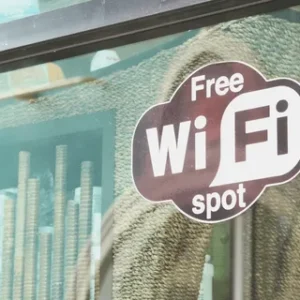
Online Security Tips #6: Stop Using Public Wi-Fi Altogether
Public Wi-Fi is convenient.
It’s also a blind trust exercise.
The Hidden Risk Most People Miss
You rarely know:
- Who set it up
- Who’s monitoring traffic
- If it’s even legitimate
VPNs help, but slow networks get slower.
A Better Online Security Tip
Use your mobile hotspot instead.
Benefits:
- Faster speeds
- Known provider
- Controlled access
Tethering isn’t flashy — it’s practical. And it drastically reduces exposure.
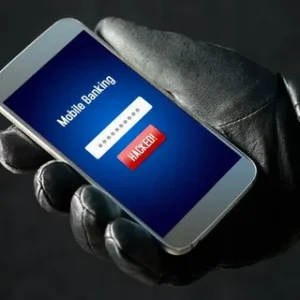
Online Security Tips #7: Lock Down Your Phone Like It Will Be Stolen
Because someday, it might be.
Why Phones Are Prime Targets
Your phone contains:
- Emails
- Banking apps
- Password managers
- Authentication codes
Losing it isn’t just inconvenient. It’s dangerous.
How This Online Security Tip Protects You
Enable:
- iOS Stolen Device Protection
- Android Theft Detection Lock
- Automatic cloud backups
If stolen, your phone becomes:
- Locked
- Trackable
- Useless to thieves
Security should assume failure — not hope it never happens.
Comparison Table: Traditional vs Modern Online Security Tips
| Area | Traditional Approach | Modern Online Security Tip |
|---|---|---|
| One inbox for everything | Separate secure banking email | |
| Payments | Physical card swipes | Tokenized tap-to-pay |
| Logins | Same email everywhere | Unique username emails |
| Identity | Credit monitoring | Credit freeze |
| Data exposure | Ignore brokers | Automated data removal |
| Internet access | Public Wi-Fi | Mobile tethering |
| Phone loss | Hope for the best | Stolen device protection |
Conclusion: Online Security Tips That Actually Matter
Online security tips don’t fail because people are lazy.
They fail because they’re incomplete.
The tips in this article don’t require paranoia. They require intentional design.
Small changes. Big protection.
Security isn’t about doing everything.
It’s about doing the right things.
Call to Action
If this article helped you:
- Share it now
- Bookmark it
- Protect someone you care about
Because the best online security tips only work when people actually use them.