Disclaimer: This article is for educational purposes only. The information provided is intended to help readers understand cybersecurity risks and take proactive steps to protect their devices and personal data. It does not constitute professional legal, technical, or security advice. Always consult a qualified cybersecurity professional for personalized guidance.
5 Shocking Ways Your Smart Home Devices Are Being Hacked (And the Complete Protection Plan Nobody Talks About)
The Speaker That Was Listening to Someone Else
You thought your smart speaker was just playing music. Turns out, it was also taking notes for a stranger across the internet.
That sounds dramatic, but it is closer to reality than most people realize. Smart home devices have exploded in popularity over the last decade. Millions of households now rely on connected thermostats, baby monitors, video doorbells, smart TVs, robot vacuums, and voice assistants to run their daily lives. And almost none of those people have any idea just how exposed those devices leave them.
This is not a scare piece. It is a wake-up call backed by real incidents, real research, and a practical plan that does not require a computer science degree to execute. Cybersecurity experts have been raising red flags about smart home device hacking for years, but the warnings rarely make it past the tech media bubble and into the living rooms where the actual risk lives.
The average home now has somewhere between 9 and 25 connected devices. Each one is a potential door. Most of those doors are unlocked.
The good news? Locking them is not complicated. You just have to know what you are dealing with first.
So let us walk through exactly how hackers get in, why your smart home security setup is probably weaker than you think, and the step-by-step protection plan that will actually keep your home network safe. No jargon overload, no fear-mongering, just clear information and real solutions.
How Smart Home Device Hacking Actually Works (And Why It Is So Easy)
Before we get into the five specific attack methods, it helps to understand the basic landscape of smart home security, or the lack of it.
Most smart home devices are built with one priority: convenience. Security is an afterthought. Manufacturers rush products to market, use cheap components, ship devices with generic default passwords, and rarely invest in long-term software support. That creates a perfect storm for hackers.
IoT hacking, which stands for Internet of Things hacking, refers to the practice of exploiting vulnerabilities in internet-connected devices that are not traditional computers. Your thermostat, your smart lock, your baby monitor, your smart TV. These devices run software, connect to the internet, and store or transmit data. They just do not come with the built-in security infrastructure that a laptop or smartphone does.
Hackers do not even need to be particularly skilled to exploit most smart home devices. Automated scanning tools can sweep the entire internet and identify vulnerable devices within minutes. Once a device is flagged as an easy target, exploitation often requires nothing more than a default password and a few clicks.
The attacks we are about to cover range from technically unsophisticated to surprisingly complex. All of them are real. All of them are happening right now, to people just like you.
Shocking Way #1: Default Passwords Are Still Handing Hackers the Keys to Your Smart Home Security
This one never gets old, unfortunately. Manufacturers ship millions of smart home devices with the same default username and password baked in. Something like “admin/admin” or “admin/password” or “user/1234.” These credentials are publicly listed in product manuals that anyone can find online in thirty seconds.
When a user buys a new smart camera or router and plugs it in without changing those credentials, the device is essentially broadcasting an open invitation. Hackers use automated tools that scan IP addresses, identify the device type, look up the default credentials, and log right in. No hacking skills required. It is less lock-picking and more just… walking through an unlocked door that was never locked in the first place.
The scale of this problem is staggering. Research from security firms has consistently found that tens of millions of smart home devices worldwide are still running on default credentials. Mirai, one of the most destructive malware programs ever deployed, worked almost entirely by using default passwords to compromise IoT devices and recruit them into a massive botnet. That botnet took down major chunks of the internet in 2016, including Twitter, Netflix, and Reddit, not through some sophisticated attack, but because people never changed their router passwords.
Why this puts your smart home security at risk:
- Default credentials are publicly documented and easily searchable
- Automated scanners can find your device and try default logins in seconds
- Once inside, hackers can watch your cameras, control your locks, or use your device to attack others
- You may never know it happened
The fix:
- Change the default password on every single smart home device the moment you set it up
- Use a unique, strong password for each device (a password manager makes this easy)
- If a device does not allow you to change the default credentials, seriously consider whether you want it in your home

Shocking Way #2: Unpatched Firmware Is Leaving Gaping Holes in Your Home Network Security
Here is one that catches even tech-savvy homeowners off guard. Every smart home device runs software called firmware, the operating system baked into the device itself. Like any software, firmware has bugs. And some of those bugs are security vulnerabilities that hackers can exploit to gain access to the device, your network, or your data.
Responsible manufacturers release firmware updates to patch these vulnerabilities. The problem is that many smart home device owners never install those updates, often because they do not even know the updates exist. Unlike your smartphone, which nags you constantly to update, most smart home devices sit quietly on a shelf or wall, never alerting you that a critical security patch is available.
Worse, some devices stop receiving firmware updates entirely after a certain point. Budget devices from lesser-known manufacturers often receive support for just a year or two before the company moves on. After that, any new vulnerabilities discovered remain permanently unpatched. The device becomes a permanent liability.
Security researchers regularly publish findings about serious flaws in popular smart home products. A vulnerability in a smart camera line might allow an attacker to access the live feed remotely. A flaw in a smart lock’s firmware might let someone bypass authentication entirely. These are not theoretical threats. They make headlines with regularity.
Devices most commonly affected by unpatched firmware issues:
- Budget smart cameras and video doorbells
- Older smart TVs
- Basic smart plugs and switches from no-name brands
- Entry-level routers
- Smart baby monitors
The fix:
- Enable automatic firmware updates on every device that supports it
- Manually check for firmware updates on your router and other key devices at least once a month
- Research a manufacturer’s update track record before buying
- Replace devices that have reached end-of-life support status, especially security-critical ones like cameras and smart locks
Shocking Way #3: Your Wi-Fi Router Is the Master Key Hackers Are Targeting for IoT Hacking
Your router is the brain of your home network. Every smart home device connects through it. Which means if a hacker compromises your router, they do not just get access to one device. They get access to everything.
Router hacking is one of the most underappreciated threats in smart home security. Most people treat their router like a utility appliance, set it up once and forget it exists. But routers have firmware vulnerabilities just like any other device. They run outdated software. They often come with remote management features enabled by default, which means an attacker can try to access your router’s control panel from anywhere on the internet, not just from inside your home.
DNS hijacking is a particularly nasty router attack. The hacker gains access to your router, changes its DNS settings, and suddenly all your internet traffic gets routed through a server they control. This lets them intercept your browsing, redirect you to fake login pages, steal passwords, and monitor everything every device in your home sends or receives. Your devices think they are talking to the internet normally. They are not.
The FBI issued a formal warning in 2018 urging all home users to reboot their routers after a state-sponsored hacking group had infected hundreds of thousands of routers worldwide with malware called VPNFilter. If a nation-state hacking operation is specifically targeting home routers, that tells you something about how valuable this attack vector is.
Signs your router may be compromised:
- Unexpected slowdowns in your internet speed
- DNS settings have changed from what your ISP provided
- Unknown devices appearing in your connected device list
- Being redirected to strange websites you did not intend to visit
The fix:
- Log into your router admin panel and change the default admin username and password immediately
- Disable remote management if you do not use it
- Enable WPA3 encryption (or WPA2 if WPA3 is unavailable)
- Update your router’s firmware regularly
- Consider a router from a reputable brand with an established track record of security updates
- Reboot your router monthly as a basic hygiene practice
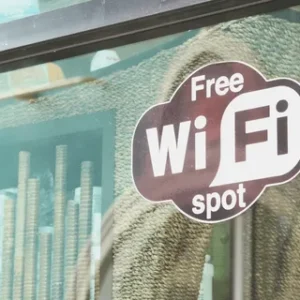
Shocking Way #4: Unsecured Wi-Fi Networks and Rogue Hotspots Are Compromising Your Smart Home Devices
This attack vector works a little differently. It is not always about targeting your devices directly. Sometimes hackers go after the network those devices connect to, and the devices your family members carry out of the house and then bring back in.
Public Wi-Fi networks are notoriously insecure. When someone in your household connects their phone or laptop to a coffee shop Wi-Fi or an airport hotspot, there is a chance that network has been compromised. Man-in-the-middle attacks on public Wi-Fi allow hackers to intercept data being transmitted, including app credentials, session tokens, and other information that could later be used to access smart home apps remotely.
But here is the home network angle that most people miss. Many smart home device apps store login credentials or session tokens that persist after the user connects their phone to a compromised public network. A clever attacker who intercepts this session data may gain access to your smart home app, and through it, your devices at home.
There is also the evil twin attack, where a hacker sets up a rogue Wi-Fi hotspot with a name nearly identical to a legitimate network. “CoffeeShopGuest” versus “CoffeeShop_Guest,” for example. Your phone auto-connects. The hacker now sees all your traffic, potentially including your smart home app activity.
Additionally, some smart home devices use the 2.4GHz Wi-Fi band, which has a longer range than 5GHz. A neighbor with the right equipment could, in some cases, connect to poorly secured devices that inadvertently broadcast further than expected, particularly relevant in dense apartment buildings.
The fix:
- Use a VPN on your phone and laptop when connecting to public Wi-Fi
- Review and revoke old sessions in your smart home apps regularly
- Set your smart home devices to a separate guest network (more on this in a moment)
- Disable auto-connect to open Wi-Fi networks on all family devices
- Use strong, unique passwords for all smart home apps and enable two-factor authentication wherever available
Shocking Way #5: Third-Party App Integrations Are Creating Hidden Backdoors Into Your Smart Home Security
Smart home ecosystems thrive on integrations. Your voice assistant talks to your thermostat. Your security camera syncs with your smart TV. Your smart lock sends alerts to your phone via a third-party app. These integrations are what make smart homes feel magical.
They are also a serious security risk that almost nobody talks about.
When you grant a third-party app or service access to your smart home devices, you are extending your attack surface. You are trusting that the developer of that app takes security as seriously as you do. In many cases, they do not. Small developers may not encrypt the data they handle. Their servers may have vulnerabilities. They may be acquired by or share data with companies that have different privacy practices. Or they may simply go out of business, leaving their app unmaintained and full of unfixed flaws while it still has access to your home.
OAuth tokens, the little digital keys these apps use to access your smart home devices, are another weak point. If a third-party app’s database gets breached, those tokens can be stolen and used by attackers to access your devices directly, no password needed.
According to research highlighted in MIT Technology Review’s coverage of top IoT security threats, the proliferation of third-party integrations in smart home ecosystems has become one of the fastest-growing vectors for unauthorized device access, often invisible to the homeowner until damage is already done.
Common third-party integration risks:
- Smart home automation platforms that aggregate control across multiple devices
- IFTTT-style “if this then that” automation apps
- Energy monitoring apps connected to your smart thermostat
- Parental control apps linked to your router
- Voice assistant skills or “actions” created by third-party developers
The fix:
- Audit every third-party app or service connected to your smart home devices
- Revoke access for any apps you no longer use
- Prefer official manufacturer apps over third-party alternatives where possible
- Review privacy policies before granting integrations, boring as that sounds
- Use a dedicated email address for smart home accounts to limit exposure if that address gets compromised
The Complete Smart Home Protection Plan: Step-by-Step Home Network Security
Now that you know how the attacks work, here is the protection plan. This is not a vague list of tips. It is an ordered, practical framework you can implement this weekend, even with zero technical background.
Step 1: Map Your Devices
You cannot protect what you cannot see. Start by making a complete list of every connected device in your home. Include your router, smart speakers, cameras, doorbells, thermostats, smart TVs, gaming consoles, printers, baby monitors, smart appliances, and anything else that connects to Wi-Fi or Bluetooth.
Most routers have an admin panel where you can see a list of connected devices. Log in (usually at 192.168.1.1 or 192.168.0.1 in your browser) and take inventory. If you see a device you do not recognize, that is a red flag worth investigating.
Step 2: Segment Your Network
This is arguably the single most powerful thing you can do for smart home security. Set up a separate network specifically for your smart home devices, completely isolated from the network your phones, laptops, and tablets use.
Most modern routers support guest networks or VLANs (virtual local area networks) that allow this kind of segmentation. The logic is simple: if a hacker compromises your smart thermostat, you do not want them to automatically have access to your laptop and its files. By keeping your smart devices on a separate network, you contain the blast radius of any breach.
Your main network carries your personal devices. Your guest network (or IoT network) carries your smart home devices. The two never talk to each other directly.
Step 3: Secure Your Router First
Everything flows through the router, so this deserves its own dedicated attention.
- Log into your router’s admin panel and change the default admin username and password
- Update the router’s firmware to the latest version
- Rename your Wi-Fi network (SSID) to something that does not identify your address or router brand
- Enable WPA3 encryption (WPA2-AES as a fallback)
- Disable WPS (Wi-Fi Protected Setup), which has known vulnerabilities
- Turn off UPnP (Universal Plug and Play) unless you specifically need it
- Disable remote management
If your router is more than five years old, replacing it is worth the investment. Security support timelines on older routers are often expired, and newer models offer significantly better built-in protections.
Step 4: Change All Default Credentials
Go device by device through your smart home inventory. On every device that has an admin login, change the default username and password to something strong and unique.
A strong password is at least 12 characters, mixes upper and lower case letters, numbers, and symbols, and is not a word you would find in a dictionary. Use a password manager like Bitwarden, 1Password, or Dashlane to generate and store these without having to memorize them.
Step 5: Enable Automatic Firmware Updates
On every device that supports it, turn on automatic firmware updates. For devices that require manual updates, set a recurring reminder to check for updates monthly.
Pay special attention to your router. Many routers do not update automatically by default. You need to log into the admin panel and enable this feature manually, or check for updates yourself.
Step 6: Audit and Prune Third-Party Integrations
Log into each of your smart home platforms and device apps. Look for connected apps and integrations. Ask yourself: do I actually use this? When did I last use it? If the answer is “never” or “I can’t remember,” revoke that access.
This alone removes a surprising number of hidden exposure points that built up over years of casually granting permissions and never revoking them.
Step 7: Enable Two-Factor Authentication
Two-factor authentication (2FA) means that even if someone gets your password, they still cannot log into your account without a second verification step, usually a code sent to your phone or generated by an authentication app.
Enable 2FA on every smart home app and account that supports it. Prioritize your smart lock app, camera app, and primary smart home hub. Use an authenticator app like Google Authenticator or Authy rather than SMS-based codes where possible, since SMS codes can be intercepted.
Step 8: Use a VPN for Remote Access
If you access your smart home devices remotely, consider routing that access through a VPN. This encrypts the connection and makes it significantly harder for someone to intercept your traffic or spoof your identity.
Some routers support running a VPN server directly, which is an elegant solution. Alternatively, a reputable VPN service installed on the phone or device you use to control your smart home remotely adds an important layer of protection.
Step 9: Dispose of Old Devices Responsibly
When you replace a smart home device, do a full factory reset before disposing of it. Old devices still connected to your network or carrying your account data are a liability. A factory reset wipes the credentials and configurations from the device.
Beyond that, remove the device from your account and revoke any integrations associated with it. A decommissioned camera you sold on eBay without resetting it is a real-world story that has ended badly for several people.
Smart Home Security Comparison: Protected vs. Unprotected Setups
Here is a clear side-by-side view of what a vulnerable smart home setup looks like compared to a properly secured one:
| Security Element | Unprotected Setup | Protected Setup |
|---|---|---|
| Router password | Default “admin/admin” | Unique strong password, changed on setup |
| Wi-Fi encryption | WEP or WPA (outdated) | WPA3 or WPA2-AES |
| Network segmentation | All devices on one network | Smart devices on separate IoT network |
| Firmware updates | Never updated | Auto-updates enabled, checked monthly |
| Device passwords | Default factory credentials | Unique strong password per device |
| Two-factor authentication | Not enabled | Enabled on all accounts |
| Third-party integrations | Many, never audited | Minimal, regularly audited and pruned |
| Remote access | Open, no VPN | Secured via VPN |
| Old/unused devices | Still connected, not reset | Factory reset and removed |
| App permissions | Broad, never reviewed | Limited and reviewed regularly |
The difference between these two columns is not expertise or expensive equipment. It is a few hours of deliberate setup and a habit of monthly check-ins.
Myths About Smart Home Device Hacking That Are Keeping You Vulnerable
A lot of people are not protecting their smart home because of deeply held misconceptions. Let us clear a few of the most common ones up.
Myth: “Hackers only go after big companies, not regular homes.”
False. Automated scanning tools do not discriminate. They sweep millions of IP addresses looking for any vulnerable device. A poorly secured baby monitor in a suburban home is just as attractive as a corporate network if the exploit is easy enough. Often more attractive, because homes have almost no defenses.
Myth: “I have nothing worth stealing.”
Your smart home camera footage, your daily routine data from a smart thermostat, your voice recordings, your location history, and your home network as a launchpad for attacking others all have value. Hackers do not need you to be wealthy to make use of access to your home.
Myth: “My internet provider’s router is secure enough.”
ISP-provided routers are often running outdated firmware with limited update support. They prioritize uptime and simplicity over security. They deserve the same scrutiny as any other device on your network.
Myth: “If nothing bad has happened yet, I must be fine.”
Many compromises go undetected for months or years. A hacked device on your network may be quietly participating in botnet attacks, slowly exfiltrating data, or simply watching and waiting. The absence of obvious problems is not the same as the absence of a breach.
IoT Hacking by the Numbers: How Big Is This Problem Really?
The statistics around smart home security are sobering, and they paint a clear picture of an industry that has grown far faster than its security practices.
According to reporting from the World Economic Forum’s definitive guide on IoT cybersecurity risks, the number of connected IoT devices globally is projected to exceed 30 billion by 2030. With that growth comes an exponentially expanding attack surface for hackers.
Honeypot experiments, where security researchers set up deliberately vulnerable devices to observe attack behavior, regularly show that an unprotected IoT device is attacked within minutes of being connected to the internet. Not hours. Minutes. The automated scanning tools are always running.
Studies have found that:
- More than 50% of smart home device owners have never updated their device firmware
- A significant majority of smart home users have never changed default passwords on at least one device
- IoT-related security incidents have grown year-over-year consistently since 2015
- Baby monitors and smart cameras are among the most frequently targeted consumer devices
- Botnet infections on home routers are a persistent global threat, with millions of devices estimated to be actively compromised at any given time
These numbers are not meant to terrify you. They are meant to make clear that this is not a niche tech problem. It is a widespread, everyday risk that affects ordinary households.
What Hackers Actually Do After They Get Into Your Smart Home Devices
Understanding the motivation helps understand the stakes. Why do hackers target smart home devices? What do they actually do once they are in?
The answers vary by attacker and by the specific device compromised.
Surveillance. Compromised cameras, baby monitors, and microphones give attackers eyes and ears inside your home. This ranges from creepy voyeurism to targeted espionage in rare higher-stakes cases. Stories of strangers speaking to children through hacked baby monitors are not urban legends. They are documented incidents reported by law enforcement.
Botnet recruitment. Many IoT hacks have nothing to do with the homeowner specifically. The hacker simply wants processing power and bandwidth. Your router, your smart TV, your camera become soldiers in a distributed army used to launch denial-of-service attacks against businesses, websites, or infrastructure. You would not know this is happening. Your internet might be slightly slower. That is often the only sign.
Data harvesting. Smart devices generate rich behavioral data. Your thermostat knows when you wake up, when you leave, when you come home. Your smart TV knows what you watch. Your fitness devices know your health metrics. This data is valuable for ad targeting, sold on dark web marketplaces, or used to time a physical burglary when they know you are away.
Lateral network movement. A compromised smart device is often a stepping stone to more valuable targets. Once on your network, an attacker can attempt to reach your laptop, your NAS storage drive, your work files, your banking session. Smart devices are entry points, not endpoints.
Ransomware deployment. Though more common in business contexts, smart home ransomware attacks have been documented. Locking someone out of their smart lock or thermostat and demanding payment is a real attack vector.
The Smart Home Devices That Carry the Highest Risk (And What to Do About Them)
Not all smart home devices carry the same level of risk. Some categories are consistently more targeted than others due to their capabilities, their typical security posture, or both.
Smart Security Cameras and Video Doorbells
Cameras are high-value targets because the payoff, access to live video inside or outside someone’s home, is immediately and obviously exploitable.
Budget cameras from lesser-known brands are the riskiest. They often lack encryption, receive no firmware updates after the first year, and have weak authentication. If you use cameras, prioritize brands with strong security track records, enable all available security features, and put them on a segmented network.
Baby Monitors
Particularly older models and Wi-Fi connected monitors with app interfaces have a long, documented history of being compromised. A baby monitor that has not received a firmware update in years and still runs on default credentials is one of the most dangerous devices in a home.
Smart Speakers and Voice Assistants
These devices are always-on microphones in your living space. The security threat from them is multifaceted: from accidental activations to targeted attempts to issue commands through compromised accounts. Keep your voice assistant accounts secured with strong passwords and 2FA. Mute the microphone physically when not in use if privacy is a concern.
Routers
Already covered, but worth repeating: the router is the master key. It deserves more security attention than any other device in your home.
Smart Locks
The stakes here are obvious. A compromised smart lock is a compromised front door. Use locks from reputable manufacturers, keep firmware updated, use a strong PIN as a backup, and ensure your smart lock app uses 2FA.
Smart TVs
Often overlooked, smart TVs run full operating systems, connect to your accounts, have microphones and cameras in some models, and receive notoriously inconsistent security support from manufacturers. Isolate them on your IoT network and be selective about which apps you install.
Building Long-Term Smart Home Security Habits
One-time setup is not enough. Smart home security is an ongoing practice, not a project you complete and forget.
Here are the habits worth building:
Monthly: Check for firmware updates on router and key devices. Review connected devices list for anything unfamiliar. Check for any unusual activity in smart home app logs.
Quarterly: Audit third-party integrations and revoke unused ones. Change passwords on any account that does not support 2FA. Review and update your device inventory list.
Annually: Research any devices that may have reached end-of-life support. Consider whether any devices have had major security disclosures that warrant replacement. Review your network segmentation setup.
This is not a massive time investment. The monthly check takes fifteen minutes once you have done it a couple of times. Quarterly audit takes thirty minutes. Annually, maybe an hour. For the level of protection it provides, that is an extraordinary return on time.
When to Call a Professional for Your Home Network Security
Most smart home security setup is genuinely DIY-friendly. But there are situations where calling in professional help makes sense.
If you run a home office and your work involves sensitive client data, financial records, legal information, or anything that a breach could expose professionally, a professional home network security audit is worth the investment.
If you have experienced unusual behavior that suggests a possible compromise, unexplained devices on your network, strange router settings, apps behaving oddly, consider consulting a cybersecurity professional rather than trying to self-diagnose and fix.
If your home network setup is complex, multiple routers, network extenders, business-grade equipment, the configuration stakes are higher and professional setup can save costly mistakes.
Local managed security service providers (MSSPs) often offer residential consultations. It is less exotic than it sounds and more accessible than most people assume.
The Real Cost of Ignoring Smart Home Device Hacking
Let us be direct about what the downside looks like if you skip the protection steps above.
The best case of a breach is inconvenience: a hacked account, a reset device, some wasted time. The worst case involves surveillance footage of your family circulating without your knowledge. A smart lock bypassed during a break-in. A home network so thoroughly compromised that every device and account connected to it must be treated as potentially exposed. Identity theft enabled by credentials intercepted through a hacked router.
These worst cases are not common. But they are real. And they are preventable with steps that take a few hours to implement.
The equation is simple. A few hours of setup now versus a potentially devastating breach later. No smart home convenience is worth the second option.
Conclusion: Your Smart Home Can Be Genuinely Safe. You Just Have to Choose That.
Smart home technology is not going anywhere. The convenience, the energy savings, the accessibility it provides, these are real benefits that improve real lives. The goal is not to unplug everything and go back to analog thermostats and flip phones.
The goal is to use these technologies with your eyes open. To understand that every connected device is a potential entry point. To take the simple, practical steps that close those doors before someone walks through them.
The five attack vectors in this article are not exotic or theoretical. They are the everyday realities of a world where billions of devices connect to the internet with minimal built-in security. Default passwords get exploited within minutes. Unpatched firmware becomes a permanent liability. Routers get compromised and nobody notices for months. Third-party apps create backdoors their developers never intended.
But the protection plan works. Network segmentation, strong unique passwords, regular firmware updates, two-factor authentication, audited integrations. These are not advanced techniques. They are table stakes for responsible smart home ownership.
You got this. A weekend of setup, a handful of good habits, and your smart home becomes exactly what it was supposed to be: a convenience, not a vulnerability.
What to Do Right Now
Start with one step. Just one.
Log into your router tonight. Change the default admin password if you have not already. That single action closes one of the most commonly exploited entry points in home network security.
Then come back to this guide and work through the rest of the protection plan at your own pace.
Share this article with someone who just bought a new smart home device. They probably have no idea their shiny new gadget just added a new door to their home, and that it is currently unlocked.
Read Next: How to Choose a Secure Home Router in 2025 | The Complete Guide to Password Managers for Non-Tech People | Smart Lock Security: What Manufacturers Are Not Telling You
Drop a comment below: Which of these five attack methods surprised you most? Have you already taken steps to secure your smart home? Share your experience and help others in the community do the same.
This content is for educational purposes only and does not constitute professional cybersecurity advice. Consult a qualified security professional for personalized guidance on protecting your specific home network setup.