You’ve probably heard it a thousand times: “Don’t use your phone while it’s charging—you’ll destroy the battery!” Your mom warns you. Your friends swear by it. But here’s the thing—what if they’re all wrong? After extensive testing involving 24 phones, 2,000 hours of battery cycles, and enough data to make a spreadsheet jealous, we’re about to flip everything you thought you knew about smartphone battery health on its head.
The Great Charging Debate: Separating Fact from Fiction
The question that sparked a thousand Reddit threads finally has a definitive answer. Does using your phone while charging actually hurt your battery? The short answer: not in the way you think.
For years, this myth has persisted like an urban legend passed down through generations of phone users. People guard their devices like precious artifacts, refusing to touch them during charging sessions. But what if we told you that this caution might be based more on anxiety than actual science?
To get to the bottom of this, researchers set up a rigorous experiment that would make any scientist proud. They purchased 24 phones through official channels—no refurbished units, no sketchy deals. Half were subjected to normal charging cycles (5% to 100%), while the other half mimicked real-world usage by running apps simultaneously during charging. The phones cycled continuously for 193 days, completing over 2,000 hours of discharge tests.
The results? The normal charging group completed 750 charge cycles and lost approximately 9.0% battery capacity. The “charging while using” group completed only 380 cycles (because simultaneous usage slows charging) and lost just 3.5% capacity. When compared to industry standards for phones at 400 cycles—which typically show around 3.7% degradation—the difference becomes negligible.
Here’s what this means for you: The number of charge cycles matters far more than whether you’re actively using your phone during charging. It’s not about multitasking; it’s about mathematics.
Temperature: The Real Battery Villain You Didn’t Know About
Now, here’s where things get interesting. If using your phone while charging doesn’t significantly damage the battery, why does it feel so wrong? The answer lies in heat.
When you charge normally, the battery warms to approximately 33°C (91.4°F). Add active usage into the mix, and that temperature climbs to 37°C (98.6°F)—roughly the same as your body temperature. It’s uncomfortable to hold, sure, but is it actually harmful?
The research team decided to push this further. They placed phones in heated chambers at 35°C (95°F), which caused batteries to reach 45°C (113°F) during charging. After 2,000 hours, these phones showed about 9.6% capacity loss—slightly more than normal conditions, but not dramatically worse.
The cold test revealed something more alarming. Phones in a 0°C (32°F) environment showed mixed results. Three phones lost about 7.8% capacity, but one phone experienced catastrophic degradation of 45%. This inconsistency suggests that extreme cold poses unpredictable risks to battery health.
The practical takeaway: Your smartphone performs optimally between 16°C and 35°C (60°F to 95°F). Extreme temperatures—whether scorching heat or freezing cold—accelerate battery degradation, but moderate temperature increases from active usage don’t significantly impact longevity.
| Temperature Condition | Battery Temp During Charge | Capacity Loss After 2000 Hours | Impact Level |
|---|---|---|---|
| Normal Charging | 33°C (91.4°F) | 9.0% | Baseline |
| Charging + Active Use | 37°C (98.6°F) | 3.5% | Lower (fewer cycles) |
| Hot Environment | 45°C (113°F) | 9.6% | Slightly Higher |
| Cold Environment | 3°C (37.4°F) | 7.8% (variable) | Unpredictable |
The 100% to 99% Mystery: Why That First Percent Takes Forever
Here’s a phenomenon every smartphone user has experienced but few understand. You plug in your phone at 1% battery, and it seems to crawl from 99% to 100%. Meanwhile, the drop from 100% to 99% feels instantaneous once you unplug it.
Is this real, or are we imagining things?
Researchers tested this by charging phones to 100%, then recording battery percentage every five seconds while discharging. They ran 15 complete cycles and discovered something fascinating: from 99% down to 1%, each percentage point lasted roughly 110 seconds—remarkably consistent. But from 100% to 99%? That took over 350 seconds—three to five times longer.
Why does this happen? The explanation involves charging physics. As batteries approach full capacity, charging speed deliberately slows down. This is a protective mechanism. If phones charged at maximum speed all the way to 100%, the final charging phase would generate excessive heat and stress, degrading the battery rapidly.
Manufacturers have engineered phones to “display” 100% before the battery is truly, completely full. This prevents the frustrating experience of waiting an eternity for that final 1%. It’s a clever compromise between user experience and battery longevity.
What about that mysterious 1% battery? When phones hit 1%, they don’t immediately shut down. Testing showed devices lasted between 120 and 300 seconds—anywhere from two to five minutes. This variability occurs because the battery’s voltage becomes unstable at such low levels, making precise measurement difficult.
Wireless Charging: Is It Really Worse Than Wired?
Your coworker has a wireless charger on their desk. They casually drop their phone on it whenever they walk past. You watch nervously, convinced they’re slowly destroying their battery through this casual approach to charging.
But are they actually harming their device?
The research team tested this by comparing two wireless charging scenarios. One group charged phones from 5% to 100%—a full deep discharge cycle. The other group practiced “top-up” charging, going from 80% to 95% multiple times throughout the day. After 2,000 hours of testing, the results were striking.
The full-cycle wireless charging group (5% to 100%) lost about 9.0% capacity—identical to wired charging. The top-up group (80% to 95%) lost only 3.9% capacity—significantly better than either full-cycle method.
This reveals a crucial insight: Wireless charging itself isn’t the problem. Avoiding deep discharge cycles is what matters. Whether you use a cable or a wireless pad becomes almost irrelevant when you’re keeping your battery in the 20%-80% range.
This explains why your coworker’s strategy of constantly topping up their battery actually extends its lifespan. They’re not being careless—they’re unknowingly following the optimal battery maintenance protocol.
Battery Health Readings: Can You Actually Trust Them?
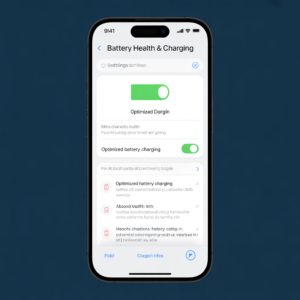
Your iPhone displays a “Battery Health” percentage in Settings. You check it obsessively, watching it decline month after month. But how accurate is this number, really?
The research team checked battery health readings every 200 hours while simultaneously measuring actual battery capacity through physical testing. The results showed that iPhone’s battery health indicator is “roughly accurate” but imperfect.
The reading captures the general trend correctly—it shows whether your battery is degrading and at what approximate rate. However, the precision varies. Sometimes it’s off by less than 1%, but occasionally the discrepancy reaches over 4%. This inconsistency exists because the health calculation relies on estimated data: cycle count, voltage measurements, and current flow—not direct physical measurement of actual capacity.
Think of it like a weather forecast. It tells you whether to expect rain or sunshine, and it’s usually right about the general direction. But the exact temperature prediction might be off by a few degrees. Similarly, trust your battery health reading for the big picture, but don’t obsess over small fluctuations.
The Environmental Cost: Why You Can’t Just Throw Away Old Batteries
Here’s something that rarely gets discussed: what happens to all those degraded phone batteries?
The research team conducted an eye-opening experiment. They extracted battery chemicals and placed them in soil, then planted seeds to observe the effects. The results were sobering. Plants exposed to battery chemicals showed severe damage compared to control plants grown in untreated soil.
This isn’t just about environmental responsibility—it’s about understanding the real cost of our technological convenience. Every phone battery contains materials like lithium, cobalt, and nickel. When improperly disposed of, these substances leach into groundwater and soil, harming ecosystems and potentially entering the food chain.
Here’s what responsible battery disposal looks like:
- Take old phones to certified e-waste recycling centers
- Use manufacturer take-back programs (most major brands offer these)
- Never throw batteries in regular trash or recycling bins
- Consider refurbishing programs that extend device lifespans
After completing their extensive testing, the research team replaced all 24 phones’ batteries with brand-new ones and donated the devices. The old batteries? They went to proper recycling facilities. This is the standard we should all aspire to.
Your Action Plan: Battery Health Best Practices
Now that we’ve separated myth from reality, here’s what actually matters for extending your smartphone battery’s lifespan:
Prioritize Charge Cycle Reduction
- Avoid letting your battery completely drain regularly
- Practice top-up charging (80%-95%) rather than full cycles
- This single habit can reduce capacity loss by more than half
Maintain Comfortable Temperatures
- Keep your phone between 16°C and 35°C (60°F to 95°F) when possible
- Avoid leaving devices in hot cars or freezing environments
- Don’t worry about moderate heat from active usage
Embrace Wireless Charging (If You Want)
- Wireless charging isn’t inherently worse than wired
- The charging method matters less than charging frequency
- Use it strategically for top-up sessions throughout the day
Stop Worrying About Simultaneous Usage
- Using your phone while charging doesn’t significantly harm the battery
- The number of charge cycles is what counts, not what you’re doing during charging
- Feel free to answer calls or check messages while plugged in
Trust Battery Health Readings (But Don’t Obsess)
- Check your battery health occasionally for general trends
- Don’t panic over small fluctuations
- If it drops significantly, consider professional servicing
Dispose of Old Batteries Responsibly
- Never throw old phone batteries in regular trash
- Use certified recycling programs
- Participate in manufacturer take-back initiatives
The Bottom Line: Use Your Phone Freely
After months of rigorous testing, countless charge cycles, and extensive data analysis, one truth emerges: smartphone batteries are more resilient than we’ve been led to believe.
The myths that have haunted us—don’t charge while using your phone, avoid wireless charging, keep it away from heat—are largely overblown. Yes, extreme conditions and deep discharge cycles accelerate degradation. Yes, temperature matters. But normal usage patterns, even with simultaneous charging and active use, won’t destroy your battery overnight.
The real enemy isn’t your behavior; it’s the number of complete charge cycles your battery endures. Every full 0%-100% cycle counts as one cycle, and most modern smartphone batteries are rated for 500-1,000 cycles before reaching 80% capacity.
Here’s the permission you’ve been waiting for: Use your phone the way you want to. Charge it whenever convenient. Run apps while it’s plugged in. Pick up a wireless charger if you like the convenience. Your battery will be fine.
The only thing we ask is that when your phone finally reaches the end of its life, you dispose of it responsibly. Because while your battery can handle your usage patterns, the planet can’t handle improper disposal of millions of batteries annually.
So go ahead. Use your phone freely. Your battery is tougher than you think.
Call-to-Action: Have you been avoiding using your phone while charging? Share your battery anxiety in the comments below—let’s debunk more myths together.