Ever had the eerie feeling someone might be watching or listening through your phone? You’re not paranoid — you might be right. Hidden camera & mic hacks on phones are real, and they can invade your privacy faster than you’d scroll through your feed.
Let’s dive deep into how these hacks work, the red flags you should watch for, and most importantly — how you can shield yourself.
What exactly are Hidden Camera & Mic Hacks on Phones — and how do they work?
When we talk about hidden camera & mic hacks on phones, we’re referring to malicious software — often called spyware — or intrusive apps that exploit the camera and microphone on your smartphone. Once installed (with or without your knowledge), these apps can quietly capture photos, video, and audio — turning your everyday device into a surveillance tool.
This happens because modern smartphones come with powerful built-in sensors (camera, mic, sometimes GPS and other sensors). Once permission is granted — or the spyware bypasses security — nothing stops it from silently recording. Sometimes it’s as innocent-looking as a “flashlight” or “photo‑editing” app that asks for unnecessary permissions. (McAfee)
In more technical terms, weaknesses in how mobile operating systems manage access to I/O devices (camera, mic) have been exploited. For example, in a research paper, it was shown that unless apps explicitly link sensor access to user action, apps may silently use those sensors without user knowledge. (arXiv)
In short: if a malicious actor gains a foothold — through a shady app, a link you clicked, or a vulnerability — your private conversations or moments could be exposed without you ever knowing.
Common Signs That Your Phone Might Be Compromised
You don’t need to be a hacker to sniff out trouble. Often, your phone will give subtle clues that something’s off. Here are some of the red flags — think of them as your phone’s “smoke alarms.”
🔍 What to watch out for
| Sign | What it could mean |
|---|---|
| Strange battery drain or overheating | Spyware working constantly in the background uses CPU and sensors heavily. (ESET) |
| Unexpected increase in data usage | Data being sent out — possibly audio/video recordings. (Norton) |
| Unusual camera or microphone icons/notifications | On newer phones/OS: indicator dots/icons appear when camera/mic are active. (Consumer Reports) |
| Photos or videos you don’t remember taking | Someone might be snapping photos remotely. (Norton) |
| Strange app permissions or unknown apps installed | A telltale sign of invasive apps or spyware. (McAfee) |
If more than one of these happens, treat it as a serious red flag — don’t ignore it.
Why Modern Phones Aren’t Always Safe — Even With Built‑In Safeguards
You might think: “My phone is brand-new — it must be safe.” Sadly, that’s not always true.
⚠️ Permission models can’t catch everything
Smartphones (iOS, Android) rely on user permission to allow apps access to camera, mic, location, etc. But once access is granted — even if accidentally — the app might misuse it later. Some spyware uses this loophole to stay hidden. (The Dool App)
Also, some hacking techniques exploit side‑channels, not just direct camera/mic usage. For example, a study showed that by analyzing subtle sounds picked up by the microphone — including those generated when you tap the screen — a malicious app could infer what you type (like PINs or passwords) on a touchscreen phone. (arXiv)
🔄 “Indicators” aren’t foolproof
Yes — many modern phones show a green dot when the camera is active or an orange dot for the mic (especially iPhones). (Consumer Reports)
But savvy hackers may exploit vulnerabilities or use root/jailbreak methods that disable or bypass those indicators. Meaning: no red dot doesn’t always guarantee safety. (Consumer Reports)
Bottom line: built‑in protections help — but they aren’t a magic shield.
Practical Steps to Protect Yourself from Hidden Hacks
The good news? You can protect yourself. And you don’t need to be a tech wizard. Here’s a practical checklist — think of it as building a privacy fortress around your phone.
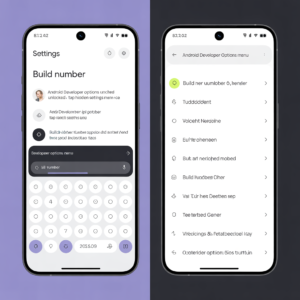
- Audit app permissions regularly: Go to Settings → Privacy (on iOS) or Settings → Apps → Permissions Manager (on Android) and revoke camera/mic permissions from apps that don’t need them. (Consumer Reports)
- Uninstall suspicious or unused apps: If you don’t use an app — or don’t remember why you installed it — get rid of it.
- Install trusted anti‑spyware software: Security software from a reputable provider can scan for malware or spyware that misuse your camera or mic. (ESET)
- Keep your OS and apps updated: Many spyware tools exploit known vulnerabilities — updates patch those holes. (The Dool App)
- Use “only while using the app” permissions: If an app really needs to use your camera or mic — say, a video call app — give access only when you’re actively using it.
- Avoid third‑party app stores or sideloading apps: APKs from random websites or unofficial marketplaces are common sources of spyware. (ESET)
- When in doubt, cover your camera + mic: Physical covers (stickers, sliding lens covers) can give you peace of mind, even if security fails. (certosoftware.com)
When Should You Be Extra Alert — Realistic Threat Scenarios
You might be thinking: “Am I a target?” Here’s when you should raise your guard:
- If you’ve recently installed a new app that asked for camera or mic permissions, especially from a less‑known developer or outside official stores.
- When you often connect to public Wi-Fi or use shared/unknown networks — hackers often inject malware through these. (Anonymous Hackers)
- If you’ve rooted or jailbroken your phone — which disables many built‑in security checks, leaving you more exposed. (ESET)
- When you’re dealing with sensitive issues — for instance, activism, whistleblowing, or high privacy demands — because that increases risk of targeted spyware.
As one Reddit user put it:
“We often see posts… suggesting someone’s phone has been ‘completely taken over’ without physical access… while it’s technically possible, the odds are extremely low.” (Reddit)
True. Not everyone gets targeted by advanced spy tools. But using a few smart precautions can greatly reduce your chances of being a victim — and give you peace of mind.
What To Do If You Suspect You’ve Been Hacked
If your phone starts acting fishy (weird battery drain, data spikes, unexpected icons), don’t freak out. Instead — step up. Here’s what to do right away:
- Uninstall suspicious or unnecessary apps. (Pulse Nigeria)
- Run a full malware/spying scan with trusted security software.
- Change passwords on email, social media, banking — from a different device (not the possibly compromised phone). (Pulse Nigeria)
- Audit and revoke camera/mic permissions globally, or for all seldom-used apps.
- If issues persist — consider a factory reset. It wipes out any hidden malware or surveillance software (but remember to back up important data first, manually if possible). (certosoftware.com)
Why “Hidden Camera & Mic Hacks on Phones” Should Matter to You — Even If You’re Not Famous
You might think: “I’m nobody. Why would mess be about me?” It’s tempting to brush off the risk.
But that’s like locking your door only because you think thieves ignore quiet streets. The truth is — hacking tools don’t care who you are. They target weaknesses, not names.
Whether you’re a student in Lagos, a freelancer working from home, or someone just scrolling social media — your phone holds precious bits of your life: photos, chats, banking info, personal conversations. One bad app or one phishing link is all it takes to make your privacy vanish.
Taking a few simple steps — like auditing permissions or installing security software — is like double‑locking your front door. It doesn’t mean you expect a break‑in every day, but it gives you peace of mind.
Final Thoughts — Stay Smart, Stay Guarded
Hidden camera & mic hacks on phones are real. They lurk in sneaky apps, malicious links, or outdated software. But protecting yourself doesn’t require a degree in cybersecurity.
A few small habits — tightening permissions, using trusted apps only, staying updated — act like a shield. Think of it like installing a fence and a gate around your private life.
Be vigilant. Be intentional. And remember: the best defense isn’t paranoia — it’s awareness.
Take action today: Audit your app permissions. Uninstall apps you don’t use. And consider covering your camera when you’re not video‑calling. Your privacy is worth that little extra effort.