Ever picked up your phone only to feel whoa — a pocket furnace in your hand? You’re not alone. Many of us have wondered, “Why does my phone get hot even when I’m not using it?” Well, the answer might be lurking in things you can’t see — like a silent background process chugging away.
1. The Invisible Workload — What Makes Your Phone Hot
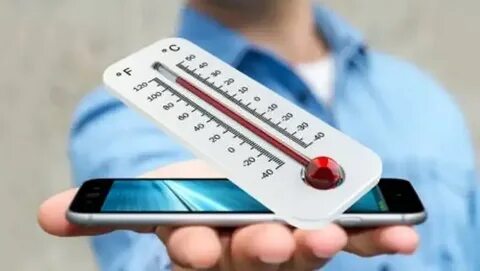
Phones aren’t magic — they’re tiny computers. Like all computers, they generate heat when the processor — the CPU — works hard. It’s perfectly normal for your phone to feel warm during gaming or video streaming. But sometimes it gets hot even when you’re not actively using it. (Norton)
Here’s where it gets interesting: your phone runs many background processes — tasks that happen out of sight, like checking mail, syncing apps, refreshing feeds, or updating software. These silent workers keep your phone up to date, but they also use your CPU and battery, generating heat even when you think things are idle. (Efani)
Let’s unpack that.
📱 Why Background Processes Matter
Background tasks are like people at a surprise party you didn’t want — they keep arriving, talking, and using energy! Examples include:
- Synchronizing data in apps
- Retrieving push notifications
- Refreshing social feeds
- System updates and indexing
Even without tapping your phone, these processes keep your CPU busy — turning little bursts of work into noticeable heat. (SpecDive)
2. The Real Culprits Behind Overheating
Let’s cut to the chase — the main reasons your phone is hotter than a summer sidewalk.
🧠 1. CPU Overload
Your CPU is like a tiny chef — the more dishes it cooks, the hotter the kitchen gets. Running multiple tasks — especially background ones — pushes it to work harder, increasing heat. (Avast)
🔄 2. Too Many Background Apps
Apps don’t always “close” when you exit them. They can still quietly fetch updates, giving your CPU extra work — which generates heat. (uk.norton.com)
📶 3. Poor Signal Strength
In weak network areas, your phone boosts power to maintain connection — and that takes energy (heat)! (Reddit)
🔋 4. Charging Generates Heat
Charging itself makes phones warmer. Fast charging, especially, can push more power — and more heat — into the battery. (SpecDive)
☀️ 5. External Heat Sources
Direct sunlight or hot surfaces transfer heat into your phone, making its internal components work extra hard. (Norton)
3. Table — Common Causes vs. What You Can Do
| Cause of Heat | Why It Happens | Quick Fix |
|---|---|---|
| Background processes | Apps syncing or refreshing in the background | Turn off background refresh |
| CPU overload | Too many tasks at once | Close unused apps |
| Weak network signal | More power used to maintain signal | Switch to Wi‑Fi or move to better coverage |
| Fast charging | High power transfer creates more heat | Use normal charging |
| Direct sun or heat | External environment raises phone temperature | Bring to shade or cooler area |
4. How to Tell if It’s Normal or Not Normal
Warmth while using heavy apps? That’s expected. But if your phone is:
- Hot while idle
- Heating up overnight
- Hot even after closing apps
… then it’s more likely a background process or rogue app overworking your phone. (TechBloat)
5. Fixing It — Simple Steps You Can Take Today
Here’s the good stuff: quick and practical ways to stop your phone from feeling like a mini heater.
🧹 1. Close Background Apps
Don’t just swipe away — make sure apps are truly closed. Turning off background refresh in settings can significantly reduce hidden CPU workloads. (asurion.com)
🔋 2. Change Sync Settings
Limit how often apps check for new data. Fewer syncs = less heat.
⚡ 3. Adjust Screen & Network Settings
Lower brightness and switch off features like GPS or Bluetooth when not needed.
🔄 4. Restart or Update
Restarting can stop frozen background tasks, and updates often improve efficiency. (uk.norton.com)
🧪 5. Scan for Malware
Malware can create secret busywork that heats up your phone. Run a reliable antivirus scan to be safe. (Norton)
6. When You Should Worry
A bit of heat is okay — phones get warm by design. But if it’s:
- Hot to touch for long periods
- Slowing down significantly
- Warning messages about heat
… then stop using it and let it cool. Persistent overheating can degrade battery health or performance over time. (AP News)
7. The Human Side — Anecdotes From Real Users
Some folks find their phones baking even when idle — only to realize a social app was refreshing every minute in the background. Others discovered that simply switching off background data and closing apps made their phone cooler than a cucumber. (Reddit)
One user even noticed overheating only during charging — hinting that battery management and charging habits had more heat to do with the issue than anything they were doing actively. (Reddit)
Conclusion: Heat Happens — But You Can Cool It Down
Phones are smart — but they’re not immune to heat. Most times, your device gets hot because something is working hard under the hood, even if you can’t see it. By understanding the role of background processes and managing them wisely, you’ll not only keep your phone cooler — you’ll also extend its battery life and performance.
So next time your phone feels like it’s baking, remember: it might just be busy thinking — and there are steps you can take to dial down the fire. Share this with a friend next time their phone feels like a toaster!
- Learn more about phone overheating causes and fixes on Norton → https://us.norton.com/blog/mobile/why-does-my-phone-get-hot
- See common overheating reasons and tips by Avast → https://www.avast.com/c-why-is-my-phone-hot